






How to save a PDF document after manually adding para numbers
- From Adobe Acrobat Pro, open the PDF
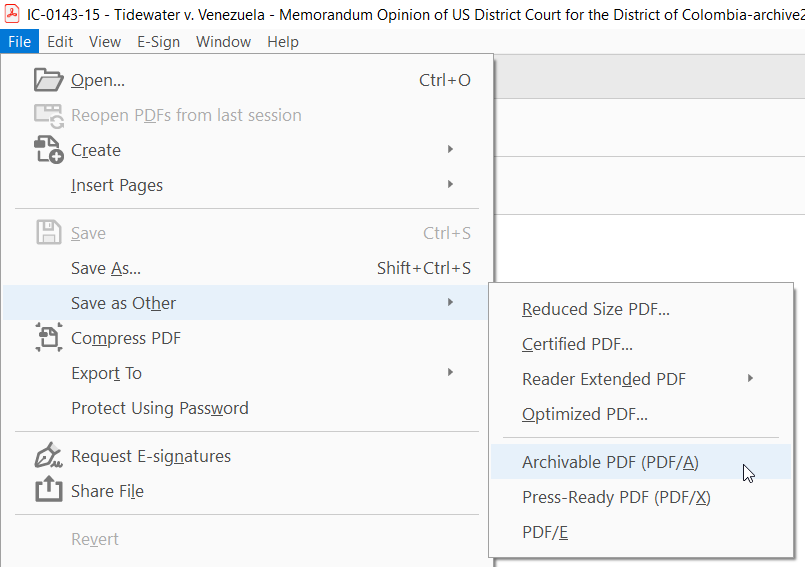
- Click on File > Save as Other > Archivable PDF PDF/A
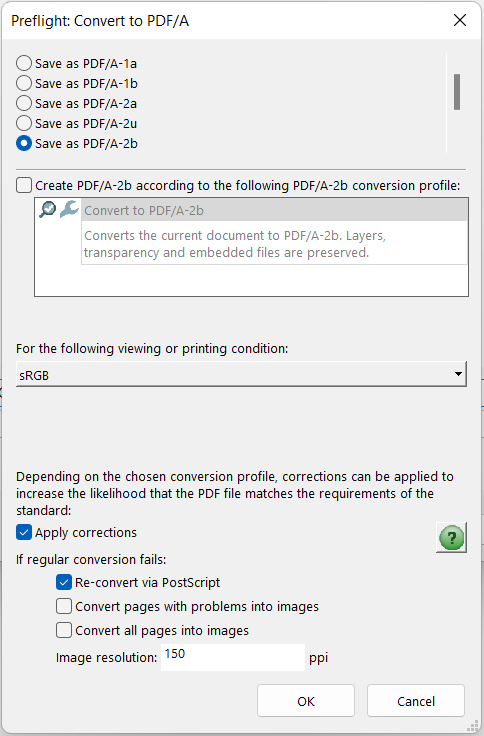
- In the Save As dialog, click on the Settings button, and make sure that "Convert pages with problems into images" and " Convert all pages into images" are unchecked.
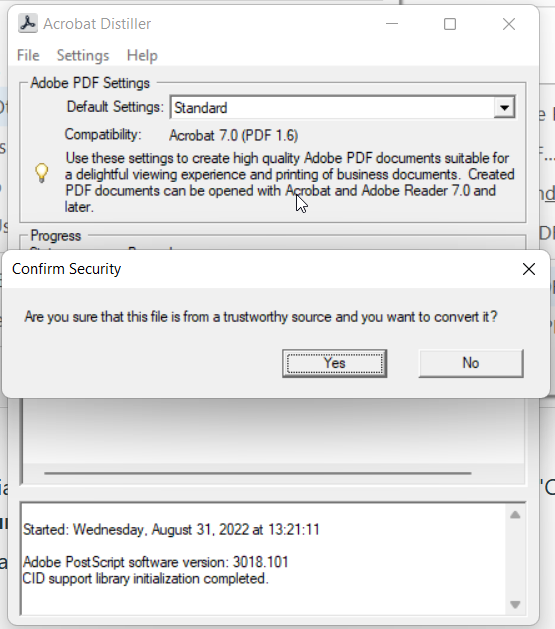
- If prompted with a security question, answer "Yes"
- The Desktop Converter should now be able to detect the paragraph numbers.