














Compare documents
Hi Morgan,
We've done some ideation around how to provide a compare solution for more than 3 documents.
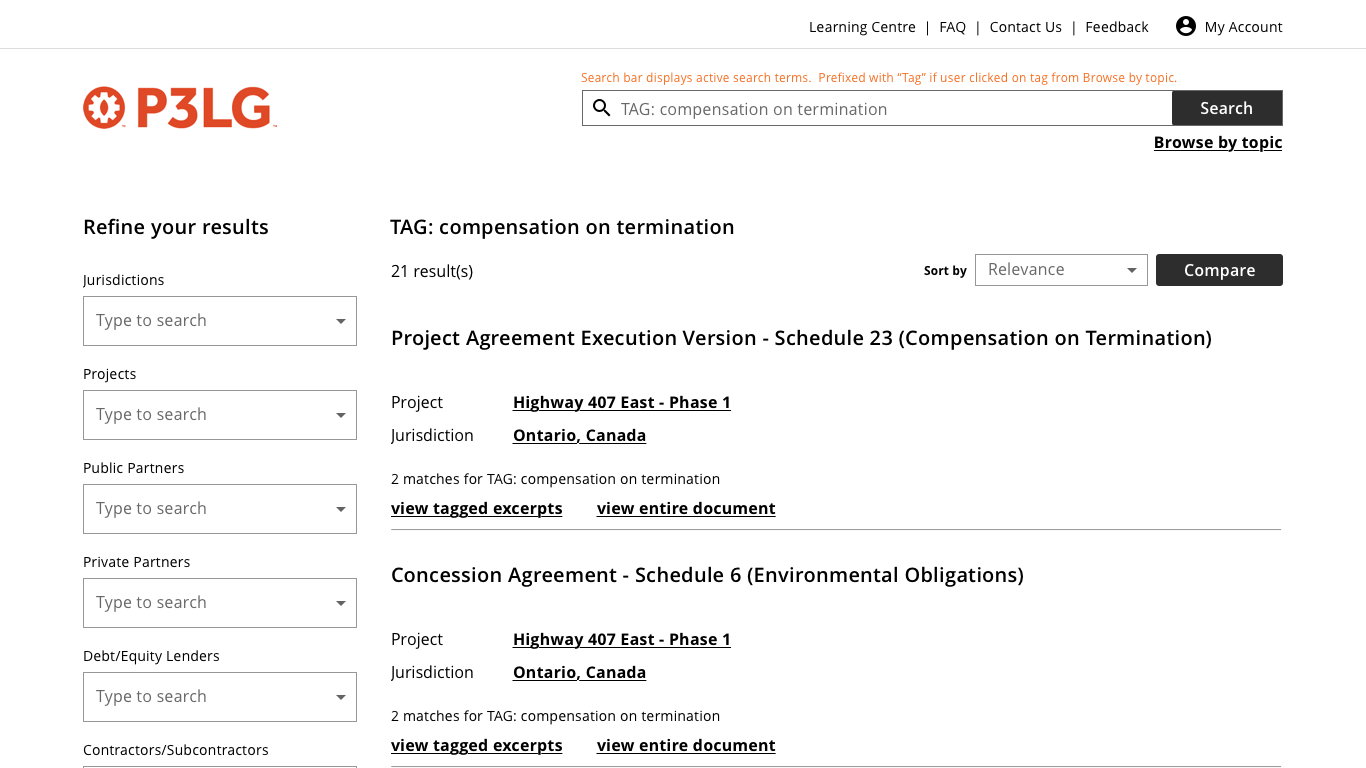
We had to rethink the location and size of the comparison "drawer". At the common screen size of 1366 x 768 pixels, the user wouldn't be able to see many search results when the comparison drawer was open at the bottom.
Here's what we're thinking:
We've done some ideation around how to provide a compare solution for more than 3 documents.
We had to rethink the location and size of the comparison "drawer". At the common screen size of 1366 x 768 pixels, the user wouldn't be able to see many search results when the comparison drawer was open at the bottom.
Here's what we're thinking:
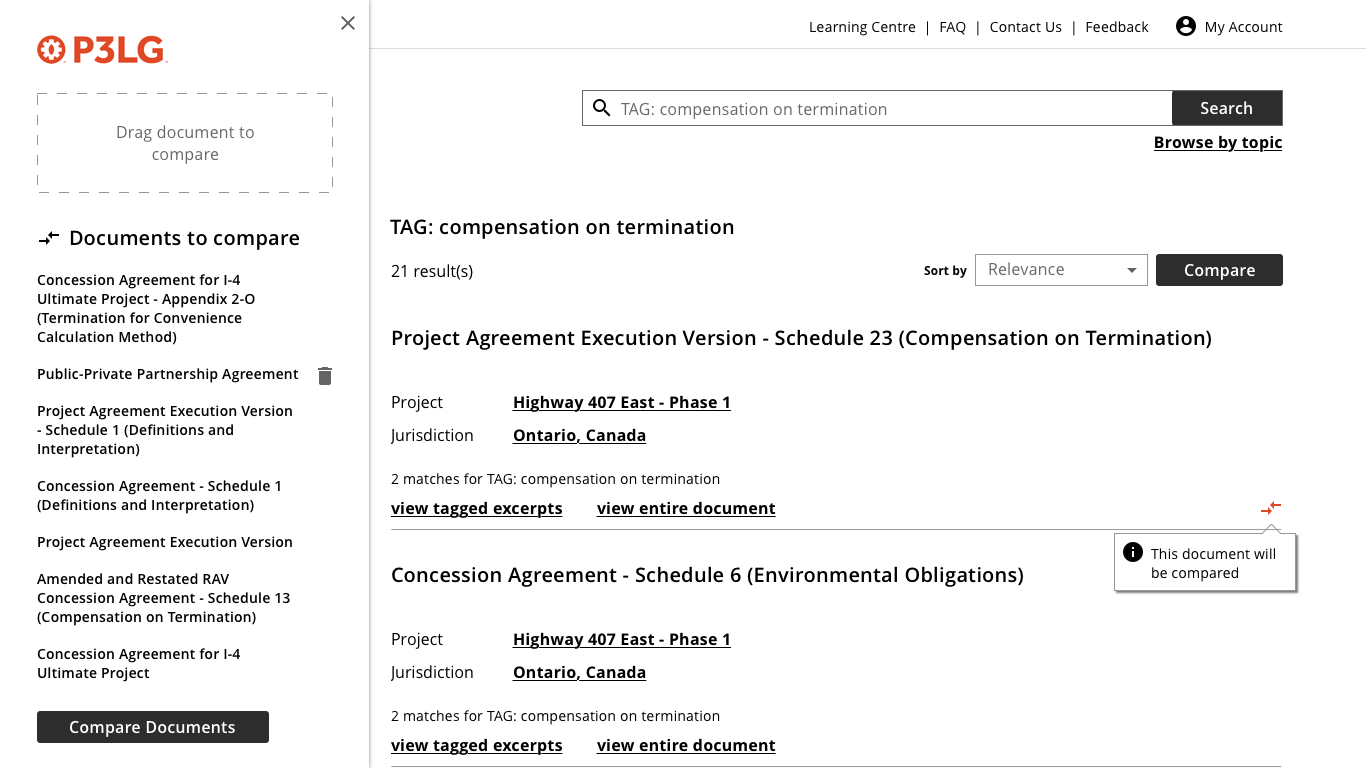
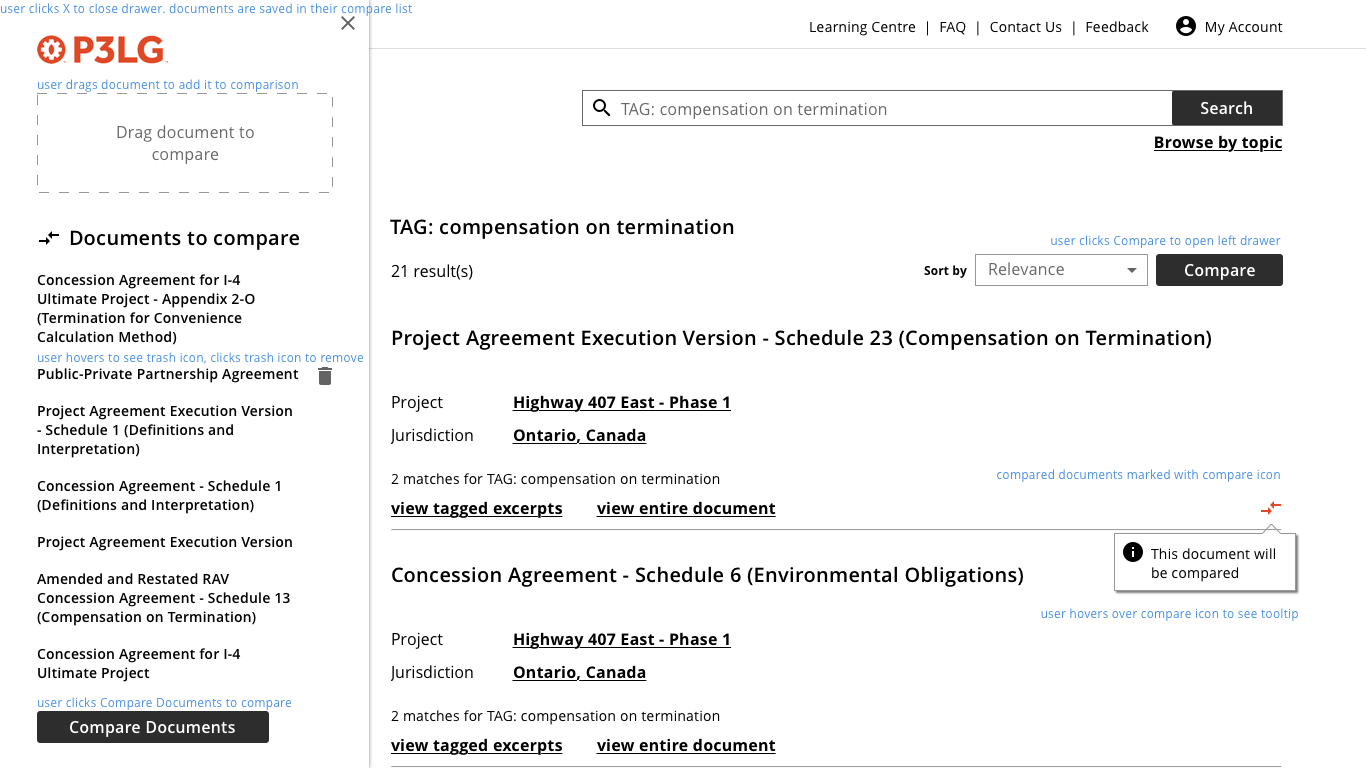
- Comparison drawer is on the left
- User can scroll the search results while the drawer is open.
- User clicks compare to open the drawer.
- User drags document on to drawer to add it.
- User sees list of documents to compare.
- User can remove a document from the list.
We've sketched out the functionality once the user is in the compare document window, I'll mock that up and put it in basecamp tomorrow.
Once we agree on the general principle, I'll add all the screens to invision so you can click through.
Thanks
Megan
We should specify in the requirements that the documents will stay in the comparison drawer even when the user closes the window. This will ensure that the user can add documents from multiple searches. Also, perhaps we should have a "Clear all" icon in the comparison drawer that will remove all documents in the drawer.
Would it make sense to add a "Add to comparison" icon below "< return to search results" when the user is viewing a document (see screenshot)? This would allow the user to use the comparison tool beyond the search results window.
Morgan
We have made some adjustments and created some additional wireframes to demonstrate how we imagine the compare feature should work in P3. We've used a small to average screen size so we have a realistic idea of how this will appear for users.
Wireframes include:
Let us know if you have any questions.
Mel
This looks really good so far. Good work! I really like the additional functionality you've created with the Manage Selection options.
Thanks,
Morgan
Just wanted to clarify if the above is ok for you or if you have any additional feedback.
The Comparison tool cards are the only remaining front-end cards, so once we finalize these we should be good to go.
Thanks,
Stephen
I have no additional feedback. Everything above looks great. Please proceed with creating the necessary cards.
Thanks,
Morgan
Our discussion about Project/Document fields raises a question for the front end as well. I want to make sure we're showing the right fields in the comparison view.
In the recent Compare mockup we have public and private partner, owner, lender.
However, does it make more sense, in the context of documents, to show
Project Jurisdiction, Public party(ies), Private party(ies), Date of Agreement?
The user could click on View entire document to see all the fields (project and document) related to the document.
Thanks
Megan
I could see scenarios where the user would want the document information (parties) and others where the want the project information (partners, etc.). It would depend on the context of what their comparing. For example, if they're comparing documents within a particular project, the document information would be more relevant. If they're comparing documents across different projects, the project information would be more important.
Could we introduce something similar to what we have with the full document view within the comparison view where the user can expand/collapse both project and document information?
Morgan
Hmm, looking for ways to ensure that the compare function—which is pretty complex—stays usable.
Some suggested modifications below:
Morgan