





✔ Block of text not appearing in Block Properties editor
Completed by Irit W.
- Assigned to
-
 Martin L.
- Notes
-
Hi
In SC/0056/02,
I have a blocks of text. When I click on each so that the red border appears, nothing happens. I cannot get the red border to appear and I cannot get the text to appear in the Block Properties editor.
See Footnotes 5,6,7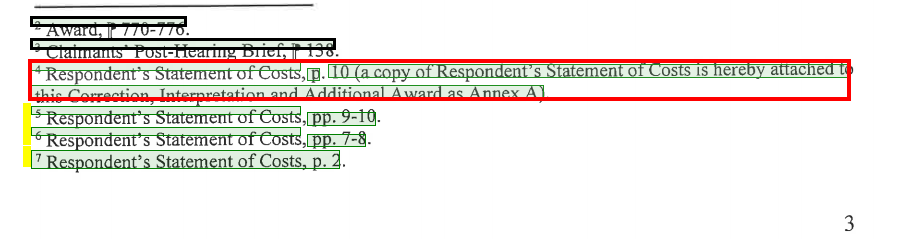
Footnotes 8,9,10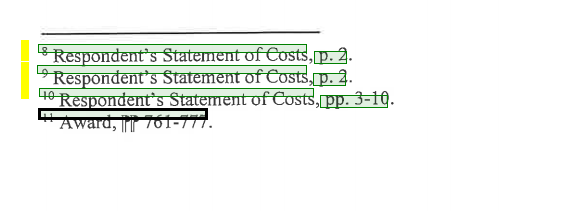
Footnotes 12,13,14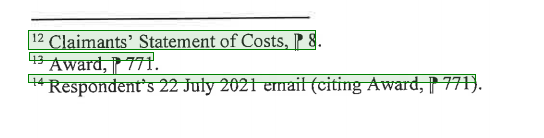
Thanks,
Irit
Is there a way I can add text in Block Property with a new ID and Label without needing a highlighted block of text from the PDF? This may resolve this issue.
This functionality is not available, but it can be added.
My next step is to work on the ability to re-order blocks. In this interface, I will also look at a way to manually add blocks (without having to select them on the PDF).
-Martin
I just wanted to share another one. This was another good example where I was not able to create a red border around certain footnotes.
UN/0380/53 - Tologix - Desktop Converter
Manually added blocks will be great.
Can you confirm that the new Zoom functionality will address this issue?
Thanks,
-Martin
I will try to follow up on this today.
Thanks,
Irit
Irit