













✔ Browsing by project filters
Completed by Morgan M.
- Assigned to
-
 Anil V.
 Melissa C.
 Ryan K.
- Notes
-
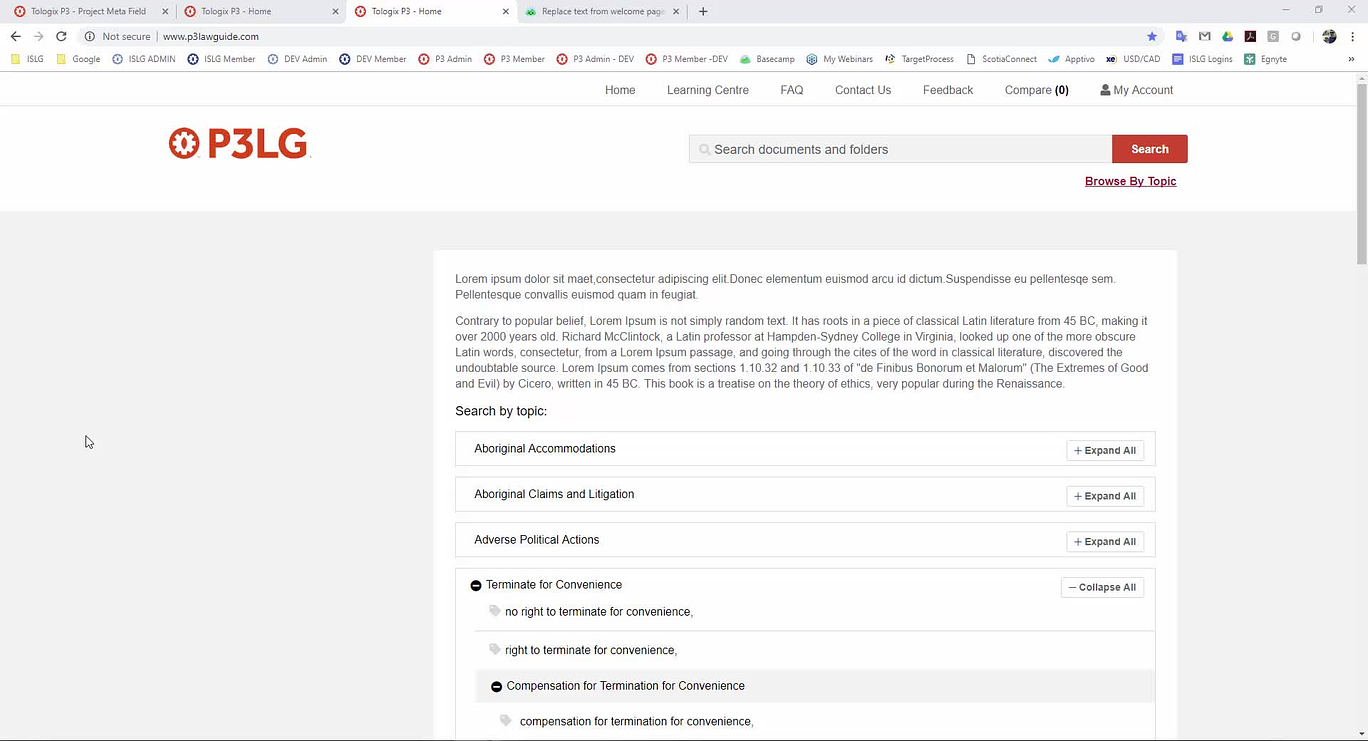
Further to the video below, ideally we need to give users the ability to browse by project filters without performing a search (keyword/tag). Also, there are issues in the way the filters function when browsing by tags.
Thanks,
Morgan
Below is a link to the Target Process card where this functionality was originally outlined.
This should be the method by which users can view all topics and narrow results without entering a search term.
Unfortunately if the filters do not effect the results, browse topics does not serve any purpose.
https://industrialagency.tpondemand.com/RestUI/Board.aspx#page=board/4857933491727658105&appConfig=eyJhY2lkIjoiOTk1NDg2NkUwM0I1RTJGMzQ5NjgyOTdFRjk2NkRGN0YifQ==&searchPopup=userstory/3412
Mel
Thank for clarifying the issue.
We'll deal with the browse projects issue post-prototype.
Thanks,
Morgan
Do we require to hide all filters from this screen or these filters will be used to narrow down topics? Please clarify.
I'll let
Morgan
That's correct. The filters should be visible and functioning as Morgan has described above.
Melissa
We have implemented this change on p3lg. Please review once and let us know your feedback. Please note that we have only narrow down topic result based on filters. Please let us know if we require to narrow down filters as well based on project filter selection. This would require some more time to implement.
This looks pretty good.
I'd like to be able to browse projects by filters as well, but this will require examining the design, and we'll save this for post-prototype. I'll move this into the post-prototype category, and we'll examine how to deal with this issue in the weeks ahead.
Morgan
We are waiting for design for this task.
It's premature to implement the redesign. We'll hold-off on this to-do for the time being.
Thanks,
Morgan