














Input Required
 Morgan
- Doc View > Terms & Phrases > View in Tree
- As a user viewing a document with the Terms Phrases tool selected, you can access a list of all terms and phrases referenced within the document:
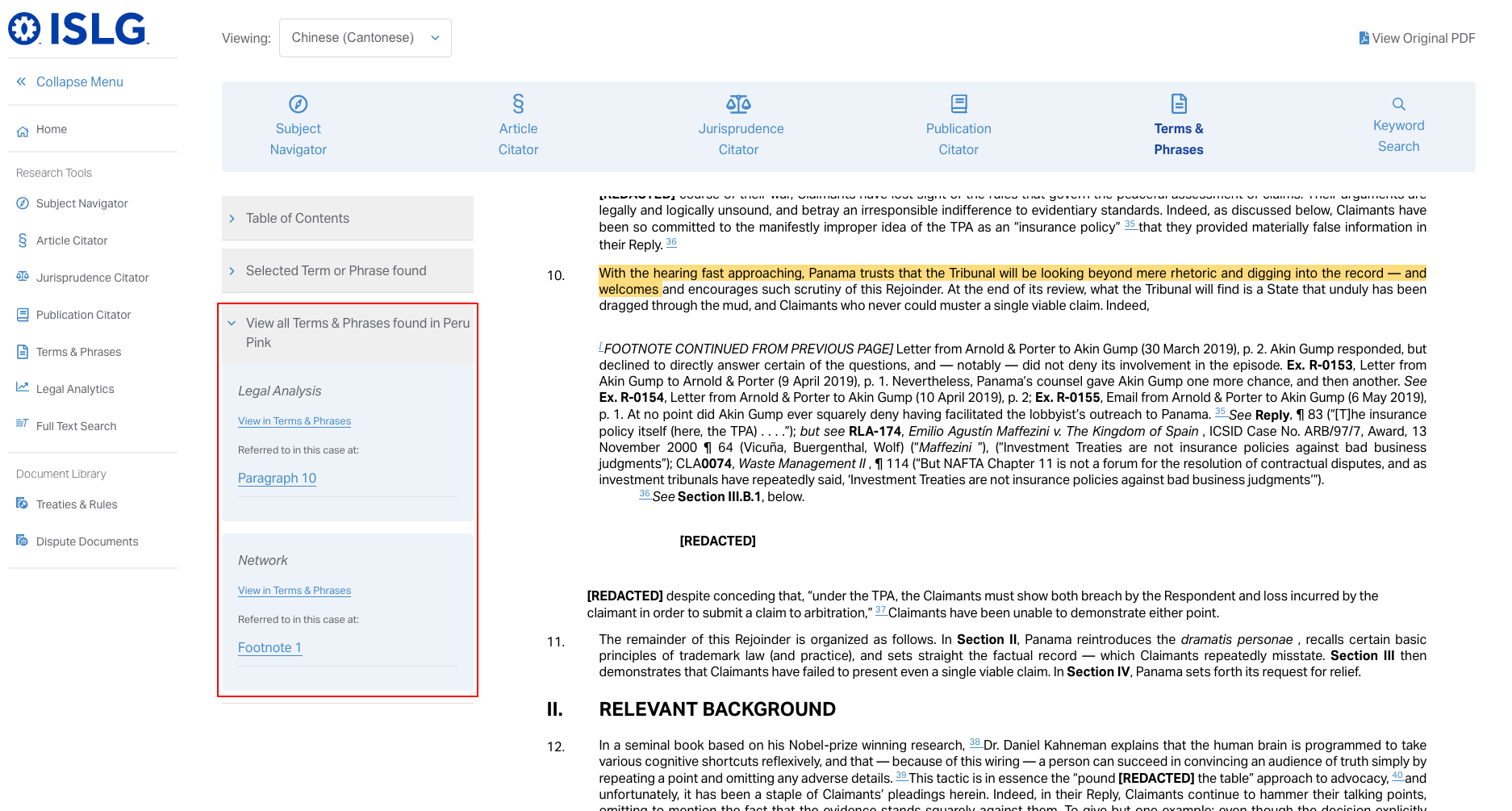
- The user can select 'View in Terms & Phrases' for any one of the terms listed. The intent was to lead a user to the Terms & Phrases tree with the 'elaborated upon in jurisprudence' accordion expanded.
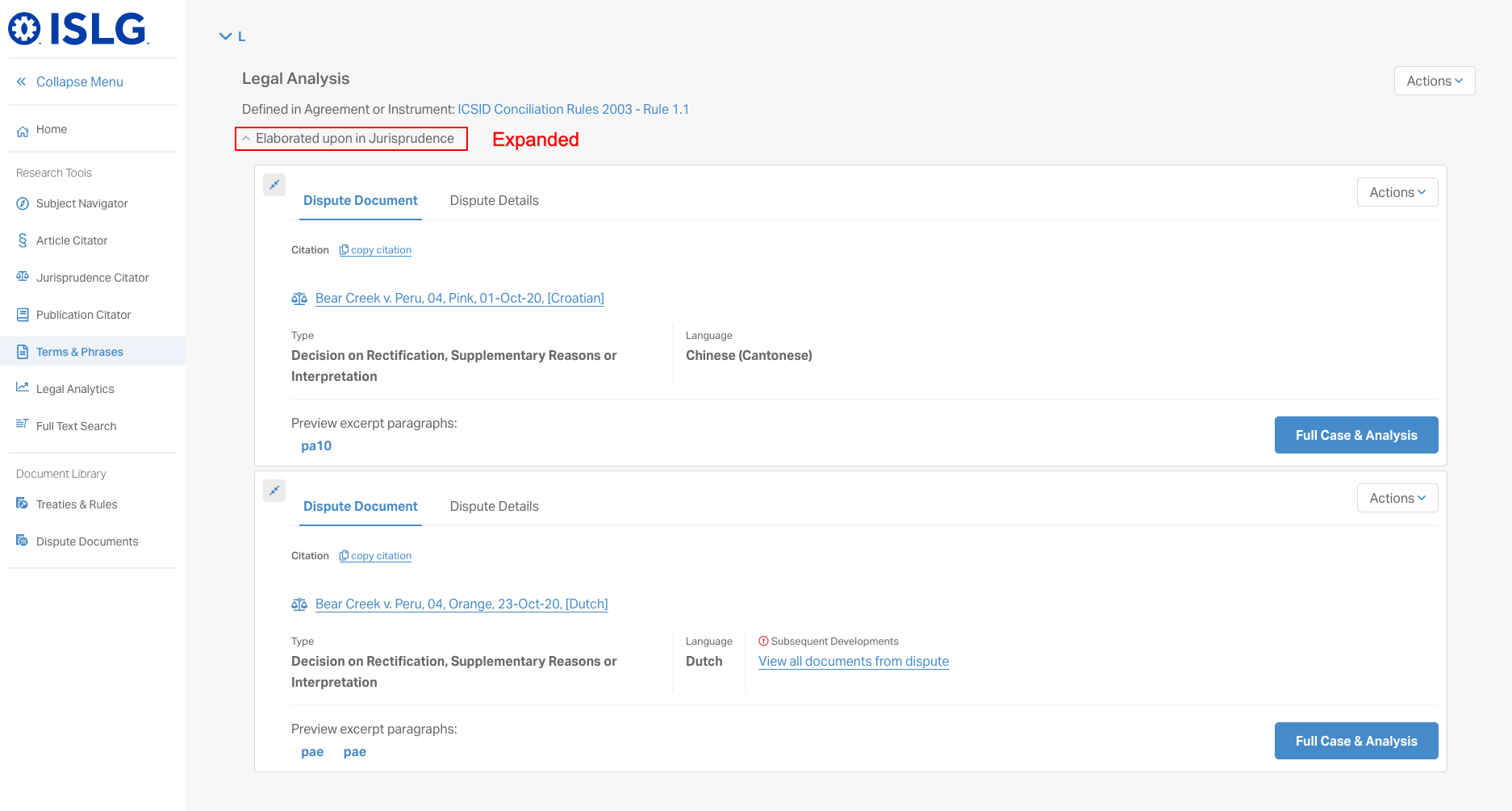
- However, because for any given term there may be multiple contexts, the current implementation just links to the term/phrase itself
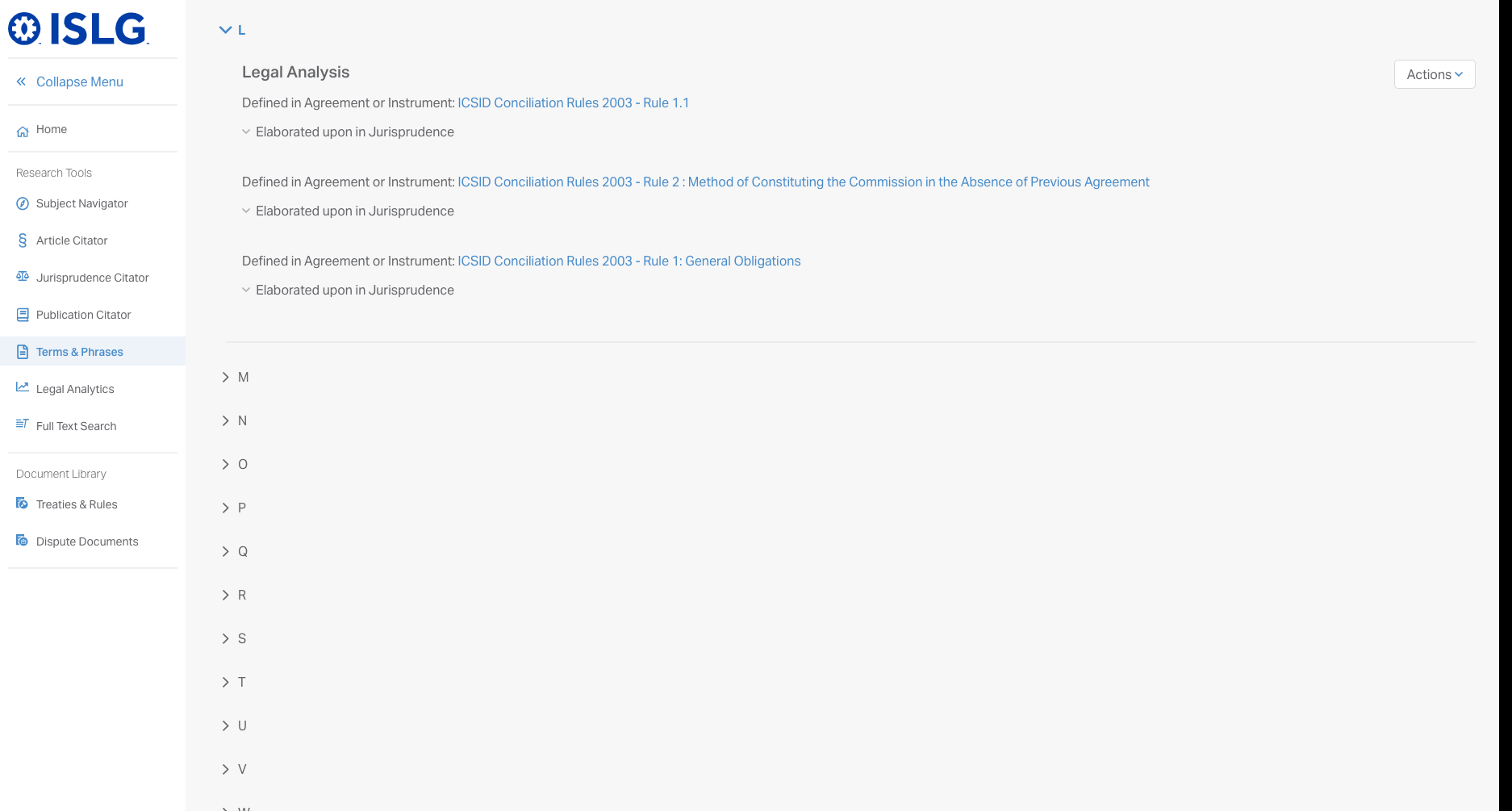
- Is this ok?
In order to update these to match the current criteria, the term's context would need to be listed in the sidebar. This would require dev time so wanted to check with you whether or not you feel this is required.
- As a user viewing a document with the Terms Phrases tool selected, you can access a list of all terms and phrases referenced within the document:
- Document Library > Conflict with basic and advanced search options
- When performing a search in the document library there are basic filters available for Applicable Instrument and Applicable Arbitration Rules:
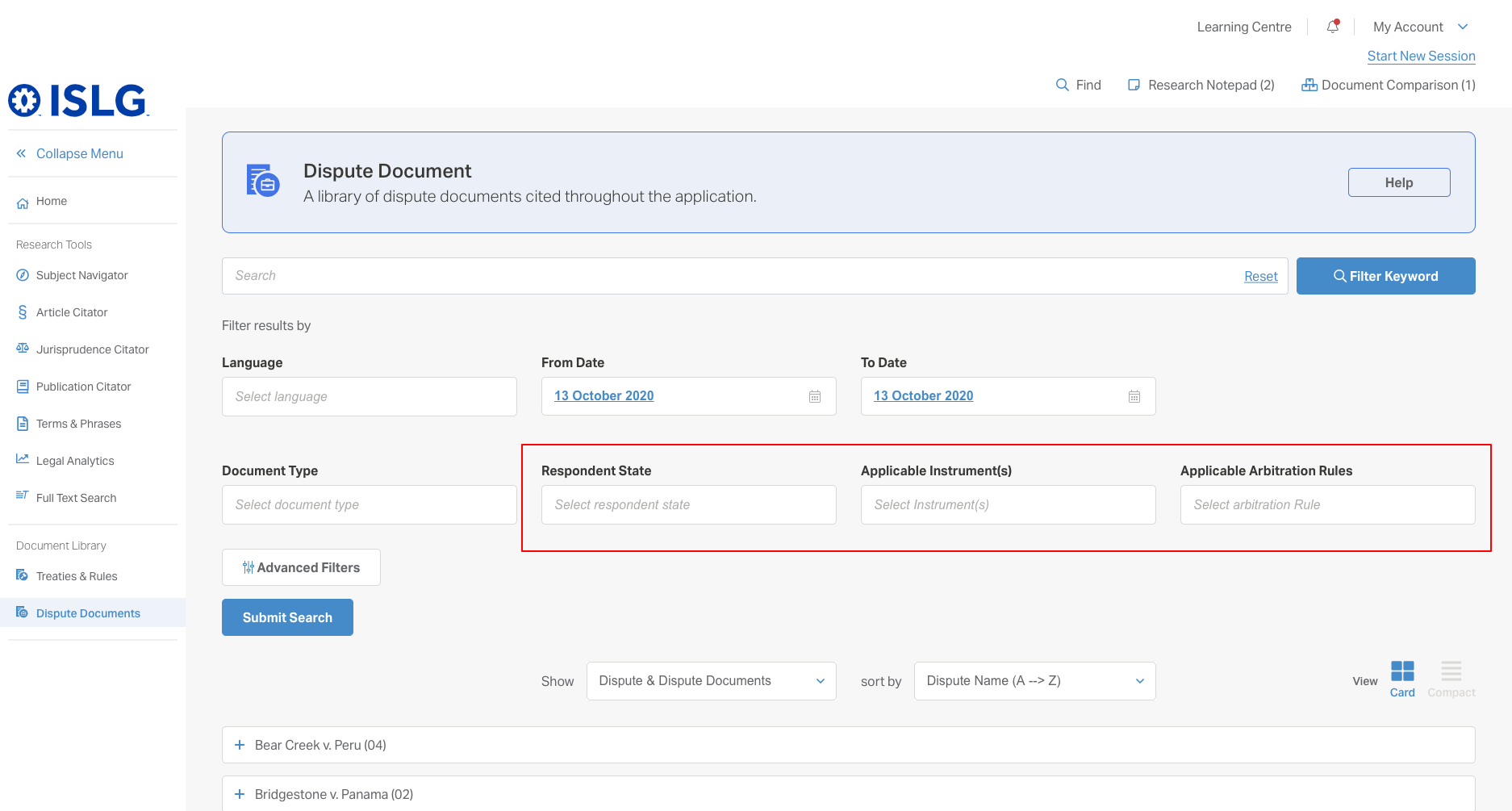
- When setting up advanced filters, those same options are available within dispute details advanced filters and filter by parties:
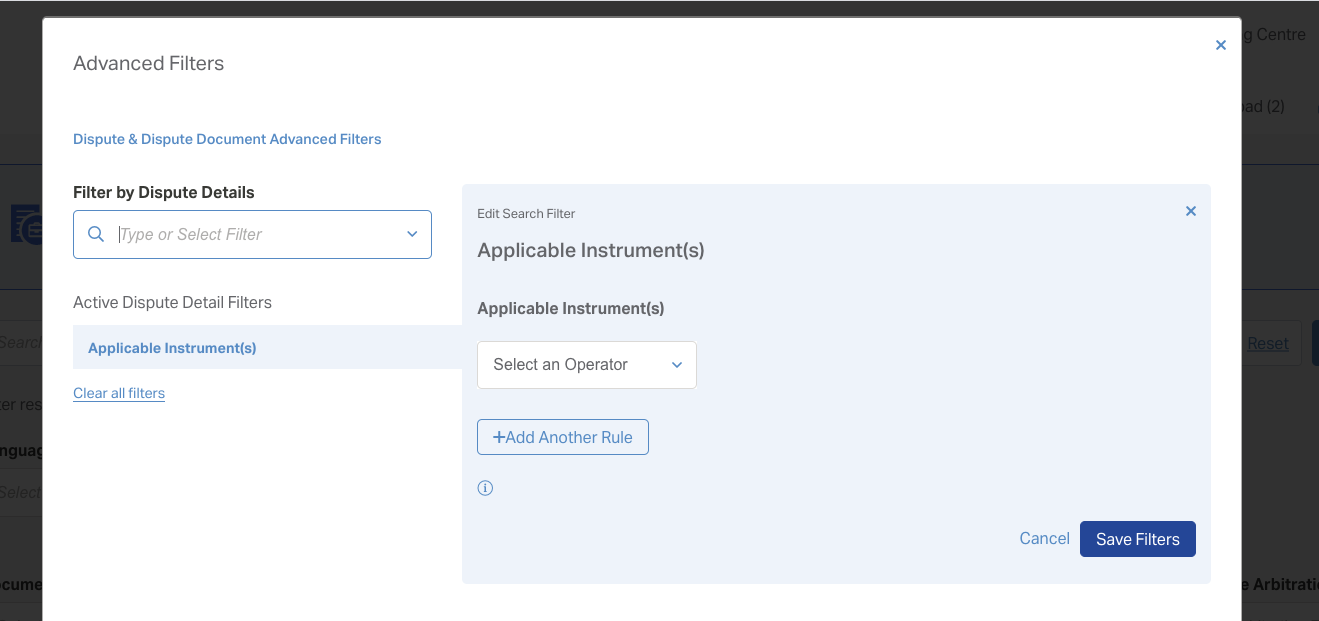
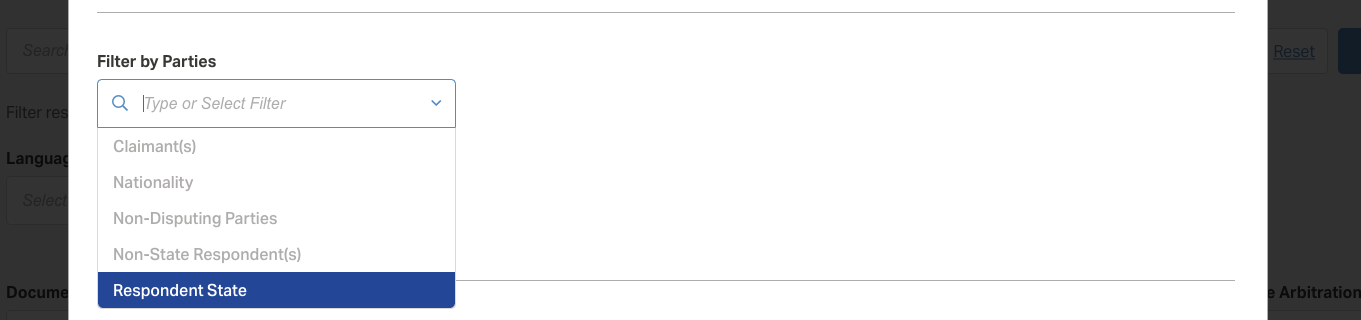
- It is not technically feasible to have the filters selected within the basic filters pre-populated within advanced filters so we are concerned this may create confusion for subscribers.
We suggest removing Applicable Instrument(s), Applicable Rule(s) and Respondent State from the advanced filter options, but wanted to confirm this with you. This means that users can filter by documents that include the applicable instruments and/or rules and/or respondent state(s) using the basic filters but will not have the option to exclude documents that contain those values - as this is an advanced search function.
Alternatively we can display a message within the advanced search modal that explains that advanced search filters will be applied in addition to the selections within the basic search filters (the language here will need some thought).
- When performing a search in the document library there are basic filters available for Applicable Instrument and Applicable Arbitration Rules:
Let us know your thoughts on the above or if you'd like a call to discuss.
Mel
For issue #1, I'm fine keeping the currently implementation.
For issue #2, I'd like to keep the options within the advanced filters, and I suppose a message would be a good idea. What happens when the user attempts to apply advanced filters that are already applied in the basic filters?
Morgan
There will be no issue if the same filter is applied in basic and advanced, or if additional filters are applied that do not conflict.
There is a chance of a conflict if in the basic filters the users filter by a value, then exclude that value in the advanced filters. In this case, the user's selection in advanced filters (exclusion) will override the basic filter selection (include). There will be no message to the user as there is no validation between basic an advanced filters.
Mel
Please note that advanced filter selections may conflict with basic filter selections, and that in cases of conflicts, selections in advanced filters will override basic filter selections.
Thanks,
Morgan