











TOLOGIX - Infrastructure LawGuide (ILG)

Problems with front-end search

Assigned to
Anil Vaghela Anil V. Hiren Patel Hiren P. Ryan Knuth, Customer Support Manager at Industrial Ryan K. Stefanie Gibson, UX Researcher at Industrial Stefanie G.
Notes
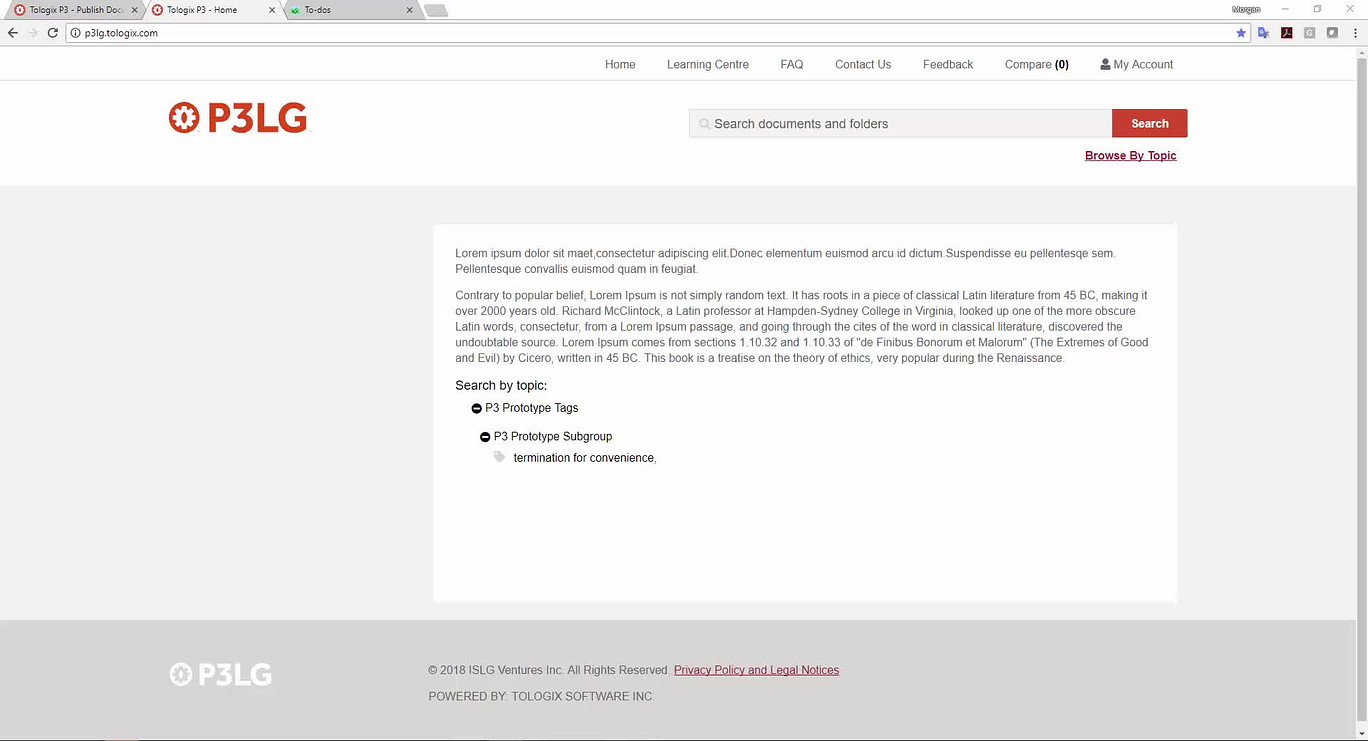
Further to the video below, the front-end search does not appear to be working according to the requirements

Comments & Events

Stefanie Gibson, UX Researcher at Industrial
Hey morgan - the reason we all search added is indeed for a text search. Previously, we had nothing and so when you'd perform a search and select it might appear there are no results. That said, I'm not sure why it's not working. On the actual search result, I'm not sure where it's pulling 4 keyword matches from, but would assume that this should mean keywords in the document. I might suggest we change this phrasing to something like "Occurs in Document: 4 Times" 
Morgan Maguire, CEO
OK. Thanks for clarifying Stefanie Gibson, UX Researcher at Industrial Stefanie .

Anil Vaghela Anil , let's get the search working the way it's supposed to, and then we can sort out further design tweaks that might be necessary after further testing.

Thanks,

Morgan 
Morgan Maguire, CEO
Hi Anil Vaghela Anil ,

Below is updated video concerning the issue in this to-do, there is still a fair bit of work that needs to be done here to ensure we have a functioning full text search for the front-end of the application. Stefanie Gibson, UX Researcher at Industrial Stefanie and Ryan Knuth, Customer Support Manager at Industrial Ryan , please comment on how this is supposed to work, because I'm not sure I understand how this was designed to display full text search results.

Thanks,

Morgan

 
Stefanie Gibson, UX Researcher at Industrial
Hi Morgan,
I found this story that talks about search. https://industrialagency.tpondemand.com/RestUI/Board.aspx#page=board/4857933491727658105&appConfig=eyJhY2lkIjoiOTk1NDg2NkUwM0I1RTJGMzQ5NjgyOTdFRjk2NkRGN0YifQ==&searchPopup=userstory/3410

I think originally it was intended that you would do either a keyword search or a tagged search. It does look like when you view entire document after selecting a keyword that is not also a tag, the document will load with keywords tagged (see below). So I think we should probably also be highlighting keywords (in the view entire document) even in when that keyword is also a tag. Would you like to add 'See all Keywords' as an option like viewing tagged highlights so that the user can jump from one keyword to the next?

The reason we added that second link is because previously all the user would see was 'no results for tag' and this looked like there were no results at all so we added a second link so that it was clear that you could still do a keyword search...otherwise the first thing you see is no results, making it unlikely you'd select the search button at all. If you want this changed back, let us know. 

Morgan Maguire, CEO
Hi Stefanie Gibson, UX Researcher at Industrial Stefanie ,

I understand. If that's the case, then we need to create a better way for users to view and distinguish between tag results and keyword results. Perhaps this can be done by including an option that forces the user to select tags vs. keywords when they enter the document, which would allows us to display keyword results in the same way we are displaying tags results (i.e., provide the ability to display both an excerpts view of keywords and an entire document view with the ability to browse through the highlighted keywords).

Thanks,

Morgan

Stefanie Gibson, UX Researcher at Industrial
Hey Morgan,
Yes, I think we could treat this the same way we do tagged highlights. This means that it needs to have its own link from the listing and then within a document, it would need it's own excerpt view and it's own navigation. It would also need to be included in document comparison.
 
Let me know what you think.


Morgan Maguire, CEO
Stefanie Gibson, UX Researcher at Industrial Stefanie 's suggestion for dealing with this problem looks good. Anil Vaghela Anil , let's implement this solution.

Thanks,

Morgan 
Anil Vaghela
OK Thanks Morgan Maguire, CEO Morgan and Stefanie Gibson, UX Researcher at Industrial Stefanie ,

We will implement this and let you know.
Anil Vaghela
Hello Stefanie Gibson, UX Researcher at Industrial Stefanie and Morgan Maguire, CEO Morgan ,

We are assuming that when user will click on "View Keyword Excerpts", the entire document will be displayed with highlighted keywords. Using navigation feature user will able to navigate from one keyword to next keyword. Please clarify.
Stefanie Gibson, UX Researcher at Industrial
View Keyword excerts should function the same way as tagged excerpts fuctions, it should just show keywords instead. The idea here is that anything you can see via the tags, you have mirrored functions for keywords. 
Morgan Maguire, CEO
Hi Anil Vaghela Anil and Stefanie Gibson, UX Researcher at Industrial Stefanie ,

I think the keyword excerpts should be similar to how we display them in ISLG's Full Text Search (see screenshots below). The search terms will be highlighted with text around it to give the reader context on the result. In addition, the user should be able to select the excerpt to go directly into the full text where the excerpts keyword exists (i.e., easily jump between "view keyword excerpts" and "view entire document" without losing their place in the document). Perhaps a link above the extract as we provide in ISLG?  Stefanie Gibson, UX Researcher at Industrial Stefanie , your input on how to make this function intuitively would be appreciated.

Thanks,

Morgan 

 
Stefanie Gibson, UX Researcher at Industrial
Hi Morgan Maguire, CEO Morgan , yes I think that would work. Perhaps it could look something like this... Selecting Chapter 7 would bring you to that portion of the document?

On another note, we should probably change the links here to show which one is currently selected like below. Right now we're not doing this.
Morgan Maguire, CEO
Sounds good Stefanie Gibson, UX Researcher at Industrial Stefanie . However, we should probably clarify the location of the applicable link within the HTML. In ISLG, we bring users to the applicable page in the PDF document, but in P3 we should probably link users to the anchor/bookmark above where the keyword is found within the HTML. Make sense Anil Vaghela Anil ?

Note that this makes it imperative that we insert all the anchor codes for all provisions within a document, which adds an additional level of complexity to the HTML document building process.

Thanks,

Morgan 
Stefanie Gibson, UX Researcher at Industrial
Morgan Maguire, CEO Morgan  yes, you're right. Perhaps we should provide a more general CTA like, "View keyword in document" that way we eliminate the need for anything more complex? 
Morgan Maguire, CEO
Yes, I agree Stefanie Gibson, UX Researcher at Industrial Stefanie .

Morgan
Stefanie Gibson, UX Researcher at Industrial
So maybe something like this. I've added a line and spacing between keyword excerpts so that they don't run into each other. 
Morgan Maguire, CEO
Looks good to me Stefanie Gibson, UX Researcher at Industrial Stefanie .

Morgan 
Anil Vaghela
Hello Morgan Maguire, CEO Morgan and Stefanie Gibson, UX Researcher at Industrial Stefanie ,

We have uploaded a beta version of above changes on p3lg. Please review and let us know the feedback.
Stefanie Gibson, UX Researcher at Industrial
Hi Anil Vaghela Anil - There seems to be something wrong. When I refresh, I can see the 'view keyword' functionality for a moment and then it disappears.

Ryan Knuth, Customer Support Manager at Industrial Ryan  let me know if this works for you. 
Anil Vaghela
Hello Stefanie Gibson, UX Researcher at Industrial Stefanie ,

This link will only come when you search using a keyword. This will not display when we select multiple tags.

Stefanie Gibson, UX Researcher at Industrial
In that case, it seems to be working the way described. 
Stefanie Gibson, UX Researcher at Industrial
I think all that's missing is the ability to navigate through keywords in the same way as tagged excerpts. See the image above. 
Morgan Maguire, CEO
Hi Anil Vaghela Anil ,

Further to the video below, there are still a number of issues with the front-end search including:
  1. Selecting "Enter" on your keyboard after entering a term into search field should cause the search to run.
  2. On the result page, please explain how documents are ordered by Relevance.
  3. For tagged excerpts, further work is needed to match the formatting in the HTML document
  4. For tagged excerpts, selecting the excerpt should take the user directly to the except with full text of the document ( Stefanie Gibson, UX Researcher at Industrial Stefanie and Ryan Knuth, Customer Support Manager at Industrial Ryan , please confirm whether you agree with this requirement).
  5. For keyword results, the search is not picking up all the keywords that match the searched term in certain documents.
  6. For keyword excerpts, please ensure the excerpts match the formatting of the HTML.
  7. For keyword excerpts, when selecting view in entire document, it doesn't take the user to the appropriate place in the document, nor does it highlight the relevant keyword.
  8. For keyword search, there is no way to jump through the different keyword matches (already mention by Stefanie Gibson, UX Researcher at Industrial Stefanie above).
Stefanie Gibson, UX Researcher at Industrial
This all sounds good to me - for point #4: originally we were going to just pull out the keyword excerpts with the ability to view it in the test of the whole document. That said, as long as we add the ability to jump from one keyword instance to the next, I'm happy to show the full text. 
Morgan Maguire, CEO
Thanks  Stefanie Gibson, UX Researcher at Industrial Stefanie . Anil Vaghela Anil , let's ensure that when an tag excerpts is selected (or some other link above the excerpt is selected), it takes the user to the full text with the tag highlighted. Similar to what we're already doing with the keyword excerpts (assuming the other issues concerning these results are resolved).

Morgan
Anil Vaghela
Hello Morgan Maguire, CEO Morgan and Stefanie Gibson, UX Researcher at Industrial Stefanie ,


  1. Selecting "Enter" on your keyboard after entering a term into search field should cause the search to run. - Done
  2. On the result page, please explain how documents are ordered by Relevance. - Documents will be ordered by sum of tags and keywords count. Please let us know your thoughts.
  3. For tagged excerpts, further work is needed to match the formatting in the HTML document. - requires more r & d 
  4. For tagged excerpts, selecting the excerpt should take the user directly to the except with full text of the document ( Stefanie Gibson, UX Researcher at Industrial Stefanie and Ryan Knuth, Customer Support Manager at Industrial Ryan , please confirm whether you agree with this requirement). - Done
  5. For keyword results, the search is not picking up all the keywords that match the searched term in certain documents. - Done
  6. For keyword excerpts, please ensure the excerpts match the formatting of the HTML. - This is default view generated by dtSearch and hence there are limitations. Please suggest.
  7. For keyword excerpts, when selecting view in entire document, it doesn't take the user to the appropriate place in the document, nor does it highlight the relevant keyword. - Requires r & d, in progress
  8. For keyword search, there is no way to jump through the different keyword matches (already mention by Stefanie Gibson, UX Researcher at Industrial Stefanie above). - Done
Please review and let us know the feedback.
Stefanie Gibson, UX Researcher at Industrial
Thank-you Anil Vaghela Anil  - I'll check over everything tomorrow morning. 
Anil Vaghela
Ok thanks Stefanie Gibson, UX Researcher at Industrial Stefanie !
Stefanie Gibson, UX Researcher at Industrial
Hi Anil Vaghela Anil #1, #5 and #8 appear to be working well for me.

For #4, I think what Morgan was saying was that he wants to eliminate the keyword excerpts and display the keywords just within the full text - but I could be wrong so let's wait until he gets back to confirm with him. 

On another note, it does look like something has happened to the styling. Suddenly I'm seeing Times New Roman appearing:
Anil Vaghela
Hello Morgan Maguire, CEO Morgan and Stefanie Gibson, UX Researcher at Industrial Stefanie ,

Below thing is done on p3lg. Please review and let us know the feedback.
         
7.  For keyword excerpts, when selecting view in entire document, it doesn't take the user to the appropriate place in the document, nor does it highlight the relevant keyword. - Done

Please note that we are still doing r & d on below issue but haven't find out anything yet.

3. For tagged excerpts, further work is needed to match the formatting in the HTML document.
Stefanie Gibson, UX Researcher at Industrial
Hi Anil Vaghela Anil ,
I'm noticing something strange happening here for #7.

The text from the keyword excerpt and the text within the document don't seem to match. It does seem to be bringing me to the right location though. For your reference, I was viewing FL-0001-0001 - I-4 Ultimate - Concession Agreement Executed when I did a keyword search for convenience.

Keyword Excerpt

Opened in full document:

Keyword Excerpt

Opened in full document:


As you'll see, the numbers seem to change between the two. 
Anil Vaghela
Hello Stefanie Gibson, UX Researcher at Industrial Stefanie ,

There is some issue with PDF to html conversion for this file. We have regenerated the html file and now it works fine. Please check and confirm.
Stefanie Gibson, UX Researcher at Industrial
Anil Vaghela Anil  looking good! 
Morgan Maguire, CEO
Hi Anil Vaghela Anil and Stefanie Gibson, UX Researcher at Industrial Stefanie ,

#1, #5 and #8 are working well. 

#2: that ordering works for me.

#3: please continue with R&D.

#4: selecting the tagged excerpt is opening the entire document view, but not taking me to the relevant passage within the document where the excerpt is found with the text highlighted.

#6: understood. We can leave things as is for now.

#7: selecting "see keyword within entire document" is still taking me to random points in the document without the highlighted text. Note that I was using these examples:
http://p3lg.tologix.com/Home/ViewTagExcerpts?tagDocumentId=318&tagId=320&oper=key&keySearch=termination-for-convenience&keyCount=36
http://p3lg.tologix.com/Home/ViewTagExcerpts?tagDocumentId=417&tagId=320&oper=key&keySearch=termination-for-convenience&keyCount=12

Thanks,

Morgan
Anil Vaghela
Hello Morgan Maguire, CEO Morgan ,

We have resolved issue #4. Please check and let us know the feedback.

Issue #7 is still pending, we will come tomorrow to look into it.
Morgan Maguire, CEO
Hi Anil Vaghela Anil ,

Further to the video below, issues #4 and #7 are partially complete. However, I discovered some other issues that need to be resolved:

  • #4: navigating to tagged excerpts is not highlighting entire excerpt
  • #7: we need to display HTML is separate window with its own scrolling bar, so that the user does not need to scroll through the entire document to navigate to the top of the page.
Anil Vaghela
Hello Morgan Maguire, CEO Morgan ,

We have resolved both the issues you posted in above video. Instead of putting separate scroll bar for html document we have put a button on bottom-right to move to top. Please review and feedback.

We have also resolved the following issue of #7:
selecting "see keyword within entire document" is still taking me to random points in the document without the highlighted text. Note that I was using these examples:
Ryan Knuth, Customer Support Manager at Industrial
Hi Anil Vaghela Anil  

For #4, I'm not getting scrolled to the tagged excerpt in Firefox for doc http://p3lg.tologix.com/Home/Search?tagId=0&tagIdList=320. It works fine in all other browsers.

#7 looks good to me.

Thanks!

Ryan
Morgan Maguire, CEO
Hi Anil Vaghela Anil ,

I still think a separate scroll bar would be better. Stefanie Gibson, UX Researcher at Industrial Stefanie what are your thoughts on this issue?

Also, I confirm Ryan Knuth, Customer Support Manager at Industrial Ryan 's issue above. selecting the tagged excerpt does not work in Firefox.

Thanks,

Morgan 
Stefanie Gibson, UX Researcher at Industrial
Morgan Maguire, CEO Morgan I feel like we used to have a scroll bar on the document and it wasn't great because you could then only scroll within the text area - it made it feel like the document was broken. Instead, I wonder if we made the header sticky so that we're still using the page scroll? 

If we were to keep that 'back-to-top' button, let's please add Top as a label to it. 
Morgan Maguire, CEO
That makes sense to me Stefanie Gibson, UX Researcher at Industrial Stefanie . However, further to the screenshot below, because we provide all the document details at the top of the screen, I can see there being an issue trying to view the HTML, particular with a smaller screen.


As result, perhaps we should make the project/document details collapsed and expandable so that the sticky header doesn't take up too much of the screen? Similar to what we have in the tagging view on the admin site:

Thanks,

Morgan
Stefanie Gibson, UX Researcher at Industrial
Morgan Maguire, CEO Morgan what would be most amazing would be to have these collapse as you scroll down and re-expand as you scroll up (you can see an example here https://medium.com/s/story/podcastings-next-frontier-a-manifesto-for-growth-7e8b88d32fde). This is becoming quite popular - it's meant to get all unnecessary information out of your way so you can easily consume content. 

If that would be too difficult, yes we could also provide this function to the user manually. Let me know your thoughts. 
Morgan Maguire, CEO
That sounds perfect Stefanie Gibson, UX Researcher at Industrial Stefanie .

Anil Vaghela Anil , what do you think? Would this be difficult to implement? In the our context, I think we would want the following elements in the header: 
Also, it would be great if we could ensure the top level header (Home, Learning Centre, etc.) was always available across the entire members site.

Morgan
Anil Vaghela
Hello Ryan Knuth, Customer Support Manager at Industrial Ryan ,

The issue for Firefox is resolved on p3lg. Please check and feedback.

Hello Morgan Maguire, CEO Morgan and Stefanie Gibson, UX Researcher at Industrial Stefanie ,

The design you have proposed seems possible but it may take time. It would be great if Stefanie Gibson, UX Researcher at Industrial Stefanie  can provide html design for this.
Stefanie Gibson, UX Researcher at Industrial
Ok great Anil Vaghela Anil - I can't but I can ask kev to (he's away until Wednesday of next week) - if you're looking for that kind of instruction? I'll put together a rough mock-up so we're all on the same page first. 
Anil Vaghela
Thanks Stefanie Gibson, UX Researcher at Industrial Stefanie ,

We have also started working on this fix header but need Kevin Andrews, Industrial Kevin 's help to arrange different elements better way.
Ryan Knuth, Customer Support Manager at Industrial
Thanks Anil Vaghela Anil . #4 looks good cross-browser.

Ryan
Stefanie Gibson, UX Researcher at Industrial
Morgan Maguire, CEO Morgan Anil Vaghela Anil ,
I did up a quick user story with a visual for how it should look in the scroll down position. I've added some instructions in here for kev too - Anil please let kev know where you're at and what you need when he gets back on Wednesday - Let Melissa Cowell, General Manager at Industrial Melissa know if you have questions because I'll be away for a week. 

Here's the story:
https://industrialagency.tpondemand.com/RestUI/Board.aspx#page=board/4857933491727658105&appConfig=eyJhY2lkIjoiOTk1NDg2NkUwM0I1RTJGMzQ5NjgyOTdFRjk2NkRGN0YifQ==&boardPopup=userstory/5376
Morgan Maguire, CEO
Great. Thanks Stefanie Gibson, UX Researcher at Industrial Stefanie . My only suggested addition to the story would be make the "return to results" link sticky as well in case the user wants to return to the results page directly, rather than having to scroll all the way to the top of the page. This will avoid users from resorting to the back button in their browser.

Thanks,

Morgan 
Anil Vaghela
Hello Stefanie Gibson, UX Researcher at Industrial Stefanie and Morgan Maguire, CEO Morgan ,

There is one section project details between main menu and document navigation links. We think it would be easier if we can keep main menu as it is and rest of the links sticky. Please suggest. 
Melissa Cowell, General Manager at Industrial
Anil Vaghela Anil Morgan Maguire, CEO Morgan ,

We'd like to talk this through with Kevin Andrews, Industrial Kevin when he is back next week. Hopefully he can come up with a solution that delivers what Stef has specified.

Melissa 
Morgan Maguire, CEO
Sounds good Melissa Cowell, General Manager at Industrial Melissa . I'd prefer to keep the whole top-level menu sticky, but we'll see what Kevin Andrews, Industrial Kevin suggests next week.

Thanks,

Morgan 
Anil Vaghela
Thanks Melissa Cowell, General Manager at Industrial Melissa
Anil Vaghela
Hello Morgan Maguire, CEO Morgan and Melissa Cowell, General Manager at Industrial Melissa ,

We have implemented sticky links (excluding header)  on p3lg. Please check and let us know the feedback.
Ryan Knuth, Customer Support Manager at Industrial
Thank you, Anil Vaghela Anil . The fixed items look good on p3lg. We'll loop in Kev when he returns on Wednesday regarding the main nav.

Ryan
Morgan Maguire, CEO
Hi Anil Vaghela Anil ,

The stickiness looks good; however, we'll let Kevin Andrews, Industrial Kevin weigh in later this week before we wrap up this to-do. Also, it would be great to make the header links sticky as will if possible.

Thanks,

Morgan
Kevin Andrews, Industrial
Anil Vaghela Anil  

In order to have the main header sticky the height of the header will need to be offset in the position of the other sticky elements.

To make the header sticky add the following CSS
#headerDisplay{
  position: fixed;
  top: 0;
width: 100%;
z-index: 1000; }

Some Javascript will need to be added to detect the height of the header as it may change depending on the screen resolution. This height will be used to set the vertical offset of the other sticky elements. I would add this javascript wherever you're handling the sticky toggle of the other elements.

var headerHeight = $('#headerDisplay').outerHeight();

$(window).resize(function(){
  headerHeight = $('#headerDisplay').outerHeight();
  checkScrolled();
});

checkScrolled();

function checkScrolled(){
    $('body').css('padding-top', headerHeight + 'px');
}


You can use the variable 'headerHeight' from the code above to set your vertical offsets on your other sticky elements. For example:

$('.scroll-fixed1').css('top', headerHeight + 'px');
$('.scroll-fixed').css('top', 50 + headerHeight + 'px');
This will need to be added wherever you are currently handling your sticky logic.
Kevin Andrews, Industrial
Anil Vaghela Anil

Looks good on desktop, just needs 1 fix for mobile:


Similarly to how we are detecting the vertical offset of the main header, we will need to offset "Tagged Highlights/Keyword Highlights" by the height of the main header + red links

headerHeight = $('#headerDisplay').outerHeight();
// Include a script to detect the height of the red links container here

and then change the line where we set the offset to include the dynamic height of that container.
$('.scroll-fixed').css('top', redlinksHeight + headerHeight + 'px');
Morgan Maguire, CEO
Hi Anil Vaghela Anil ,

I'll Kevin Andrews, Industrial Kevin confirm, but it looks pretty good. However, the sticky header for the top-level menu is only getting applied to this page, rather than the entire front-end site. Wouldn't it make sense to have this applied everywhere? Stefanie Gibson, UX Researcher at Industrial Stefanie , do you agree?

Morgan 
Stefanie Gibson, UX Researcher at Industrial
Yes, it would be great to have just that top portion sticky everywhere. 
Morgan Maguire, CEO
OK. Anil Vaghela Anil , let make this happen across the front-end of the application. 

Thanks,

Morgan 
Anil Vaghela
Hello Morgan Maguire, CEO Morgan and Stefanie Gibson, UX Researcher at Industrial Stefanie ,

We have done this change on p3lg. Please check and feedback.
Stefanie Gibson, UX Researcher at Industrial
Looks good Anil Vaghela Anil  
Morgan Maguire, CEO
Looks great Anil Vaghela Anil . I think we're ready to mark this to-do complete.

Morgan 
Morgan Maguire, CEO
Morgan Maguire completed this to-do.