













✔ Problems with presentation of HTML window on admin site
Completed by Morgan M.
- Assigned to
-
 Anil V.
 Hiren P.
 Ryan K.
- Notes
-
Further to the video below, the following issue need to be resolved concerning the HTML window on the admin site:
- Ensure window is consistently the same size as 75% the height of the browser window, so that options above or below are always visible.
- Ensure table of contents (if created for document) is available for use by admin user.
- Details on project/document should be minimized (as currently done for Edit Document page) until opened and viewed by admin user.
 Stefanie
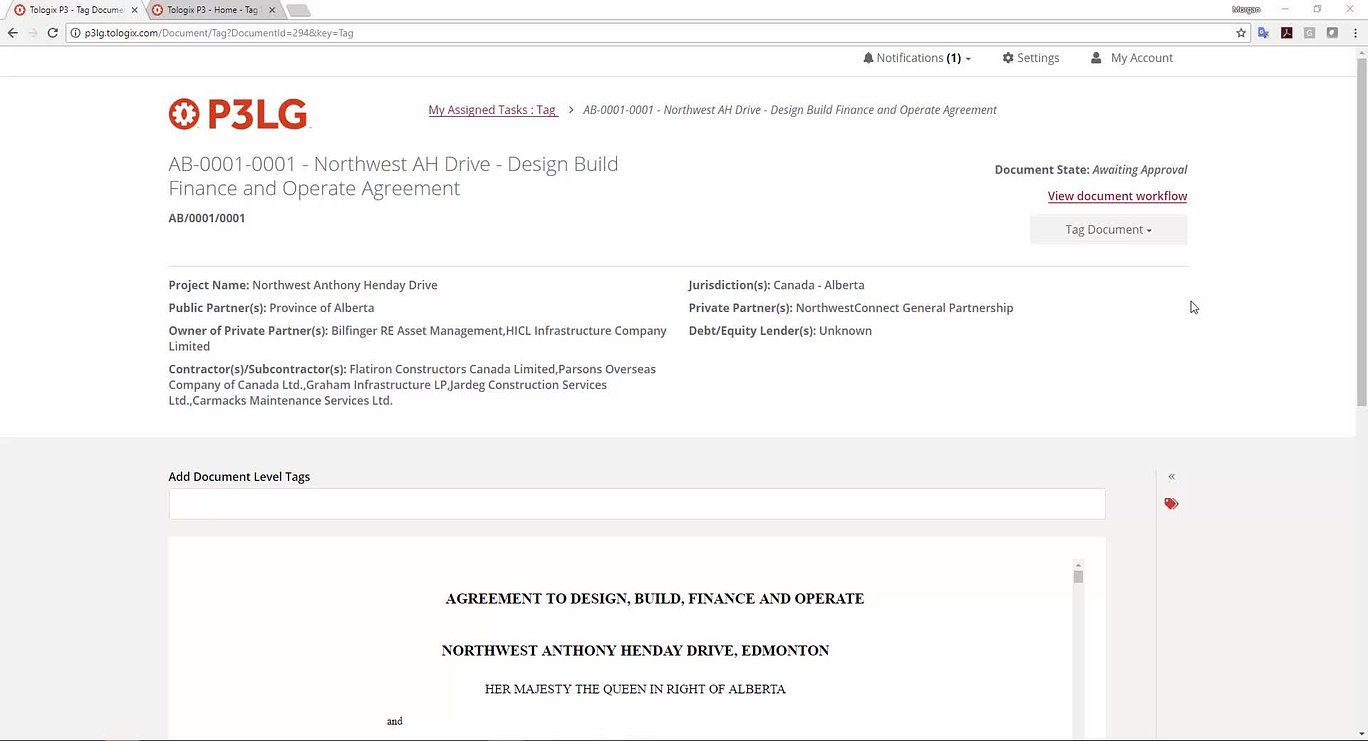
I don't know that having the TOC anywhere else will suffice because I'm assuming morgan wants it available to the admin as they edit the document.
Sounds like a good solution to me.
Morgan
Table of content change is done and uploaded on p3lg. Please check and let us know the feedback.
It would be good to also make sure that the workding and behaviour matches the front end so Tagged Highlights + the count (1 of 20).
Just so I understand, the table of contents is intended to be used as jump links throughout the document, but none of the documents I'm looking at right now are doing that. I'm asuming that's just because no one has set up the TOC yet?
Just so I understand, the table of contents is intended to be used as jump links throughout the document, but none of the documents I'm looking at right now are doing that. I'm asuming that's just because no one has set up the TOC yet? :
TOC links need to set in HTML file using editor so that they can jump to desire location. PDF to HTML converter will do this automatically only when TOC is already set in PDF files.
Yes, the TOC is intended to be used by the editor to jump between different parts of the document. Yes, the HTML files still need to be worked on, and have their TOC's created. We'll do this once we progress to the content uploading phase.
Thanks,
Morgan
Above suggested changes are uploaded on p3lg. Please check and let us know the feedback.
The new design for the HTML view within the tagging page looks good. However, further to the video below, the following issues need to be addressed:
Morgan
This page seems to have some serious performance issues not related to the front end development of the page which is impacting the overall performance of any scripts as well.
That said does removing your custom scripts controlling the slideouts have any positive impact on the performance of the slideouts? If so it's possible that your custom script and my custom script are conflicting with each other. I could roll up your custom script into mine so that there is a single function controlling the slideouts rather than two.
However the main issue definitely seems to be the document iframe itself, as removing the iframe makes the page perform perfectly.
We have improved below issue, please check and let us know the feedback.
- Ensure that the ToC and Tagging Director open/close smoothly
Thanks,
Morgan