













✔ Change settings when navigating through entries in master list
Completed by Morgan M.
- Assigned to
-
 Melissa C.
 Naomi J.
- Notes
-
Further to the video below, a few issues to resolved concerning the UI for the master list tables:
- Any filters or searches applied before making any edits to an entry should continue to be applied when the user navigates back to the table after completing the edits (the same should apply to deleting an existing entry or adding a new entry).
- Ensure there is a link added next to "Filters" that allows the user to quickly clear any applied filters. There should also be an indicator that filters are currently applied to the table.
- Ensure there is a clear button in the "Title or UIN" search so that the user doesn't need to delete the text before performing another search.
- If the table has more than 10 entries and the admin user edits an entry from page 2, etc., when the edits are completed, the admin user should be returned to that previous page (and ideally at the same page alignment they had when they selected the entry).
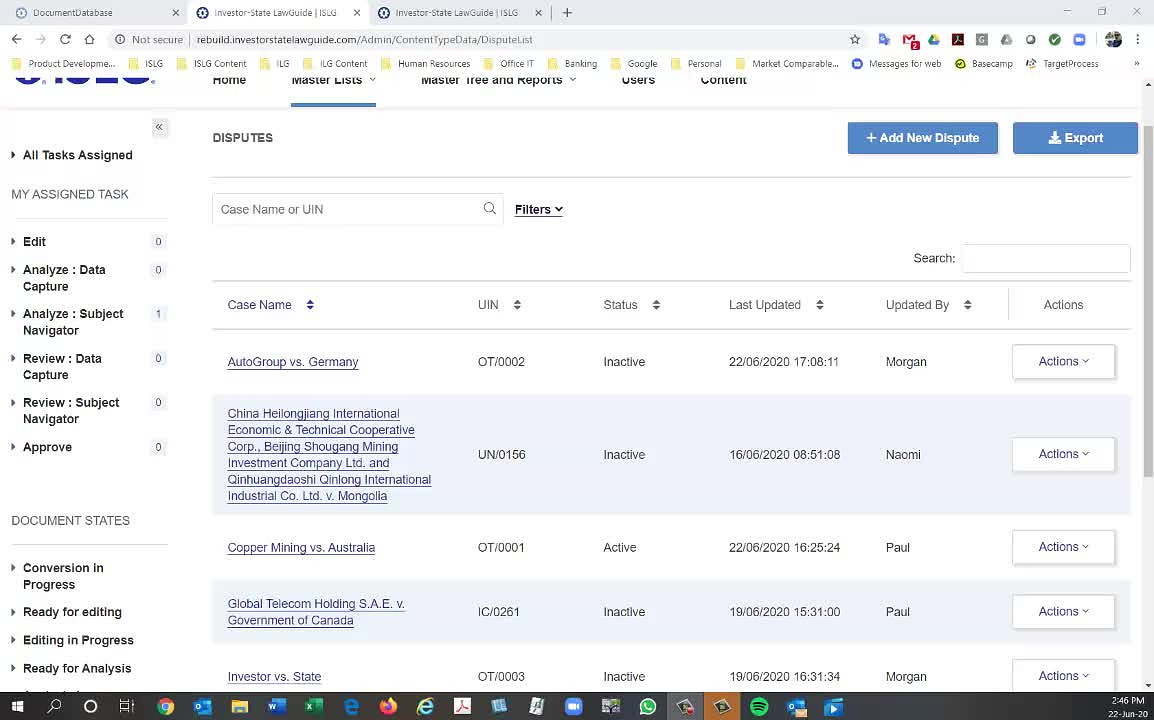
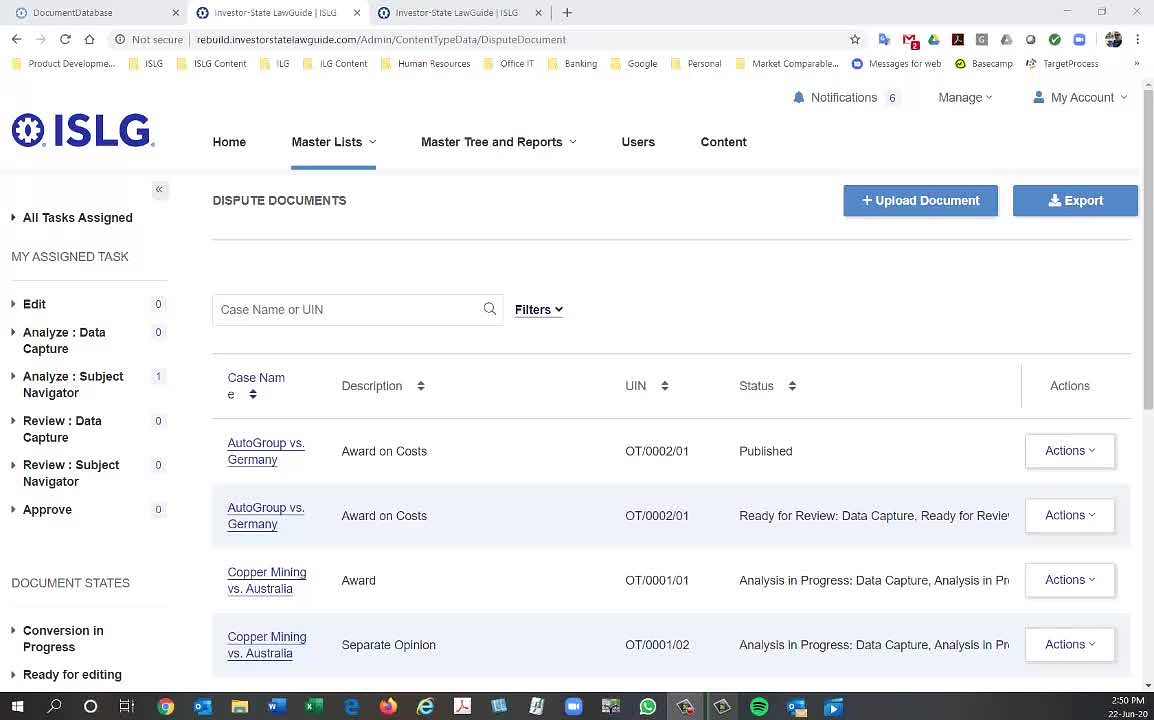
Regarding the navigation behaviour the card is here: https://industrialagency.tpondemand.com/RestUI/Board.aspx#page=board/5389754907359543952&appConfig=eyJhY2lkIjoiNkIwOEFBRTU1NUY0ODJDNDU1NDA1NzJFQkE5N0JGQjkifQ==&boardPopup=bug/16887
Regarding searching and filtering behaviour the card is here: https://industrialagency.tpondemand.com/RestUI/Board.aspx#page=bug/16886&appConfig=eyJhY2lkIjoiNkIwOEFBRTU1NUY0ODJDNDU1NDA1NzJFQkE5N0JGQjkifQ==
Further to the updated requirements below. Do you think we should keep existing filters applied for the entire session or should the filters reset if you navigate to a different master list?
To illustrate difference in these options:
Option 2: filters will reset if the user navigates outside master list: the filters would stay applied as a user browses between different entries in the Dispute master list, but if the user navigates to the Dispute Document master list and then comes back to the Dispute master list, any previously selected filters would be reset.
Options 1: filters stay applied for duration of session: the user applies filters to browse though entries in the Dispute master list. If the user exits the Dispute master list, and returns to the Dispute master list later during the same session, the previously selected filters would still be applied.
There are pros/cons to both options, and I want to ensure we choose the option that best suits your needs. Let us know.
Thanks,
Morgan
Thanks,
Morgan
I've made the update to reflect option 2.
Morgan
We need to do some R&D how to open same page no. while user click on save draft or click on contextual back button but we can do this.
The only concern is due to data table we can not able to point out that particular entry on same page no.
Suppose, You click on Edit from Page no. 2 and click on contextual back button we can do that user will redirect to page no.2 but technically it is not possible to point to same entry.
As long as the user is brought back the same page with the same filters and search applied, that is sufficient. The main concern is that the user will lose their place in the table where they entered an entry to make an edit, and will need to navigate, search and filter back to their place in the table when they are reviewing a series of entries.
Thanks,
Morgan
This change has been done on both rebuild.islg and rebuilddemo.islg.
Could you please review these and the applicable user stories as a priority. We need to get these implemented on rebuild.islg so that we can start the Legal Analytics data capture process.
Thanks,
Morgan
Both the above user stories have been tested and moved to done in TargetProcess.
Thank you,
Naomi
I tested the issues above on rebuild.islg, and found three outstanding issues that need to be resolved:
Thanks,
Morgan
Will something like this work for you for the above two points? I would just like to confirm before I write any criteria.
Morgan
Nafiseh
I've created criteria for this in the ISLG admin backlog here: https://industrialagency.tpondemand.com/restui/board.aspx#page=board/5389754907359543952&appConfig=eyJhY2lkIjoiNkIwOEFBRTU1NUY0ODJDNDU1NDA1NzJFQkE5N0JGQjkifQ==&boardPopup=userstory/18961/silent
Morgan
I have marked this as done in target process
Morgan