













✔ Create ability to edit and save Treaty and Arbitration Rules provision descriptions for migrated documents
Completed by Irit W.
- Assigned to
-
 Harsh P.
- Notes
-
We would like to create the ability to save edits that we make to the migrated Treaty and Arbitration Rules provision descriptions on app.islg. This applies to Treaty and Arbitration rules that are both placeholders and non-placeholders.
***
Using ARB/0053 as an example. See app.islg, Master Lists, Arbitration Rules. This was migrated. I am able to create a draft on app.islg, and I am able to make changes to provision descriptions, but I cannot save changes.
I am able to edit the descriptions (the text highlighted yellow):
However, clicking the following options does not save the edits:
"Done Editing"
"Save & Exit"
"Publish Changes"
***
Using Treaty BIT/1100 as an example. See app.islg, Master Lists, Treaties.
This was migrated. This Treaty is a placeholder (this applies to both placeholders and non-placeholders). I am able to make changes to provision descriptions, and I am able to save changes. However, if I delete a provision description, I am not able to save that change.
For example, I am able to add "Test 1" and select the Article Citator Display checkbox. I am able to save both.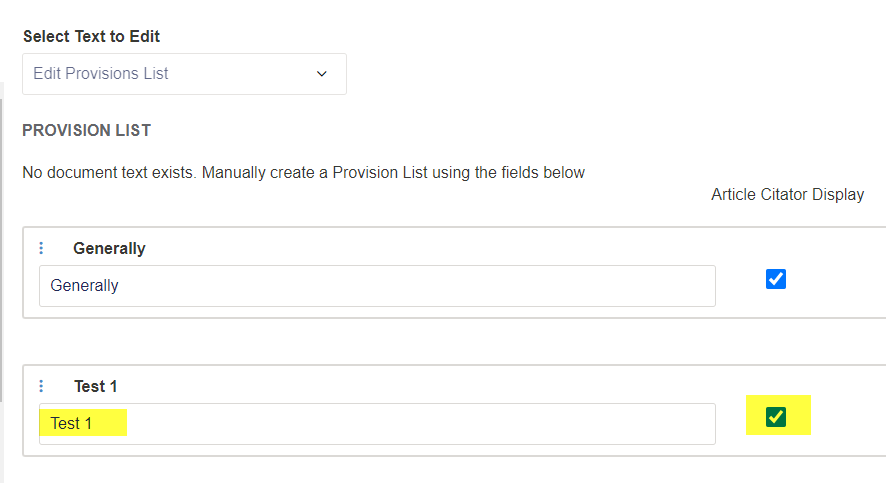
I can unselect the Article Citator Display checkbox and save changes.
However, if I delete "Test 1", I am not able to save changes. "Test 1" still appears after clicking "Publish".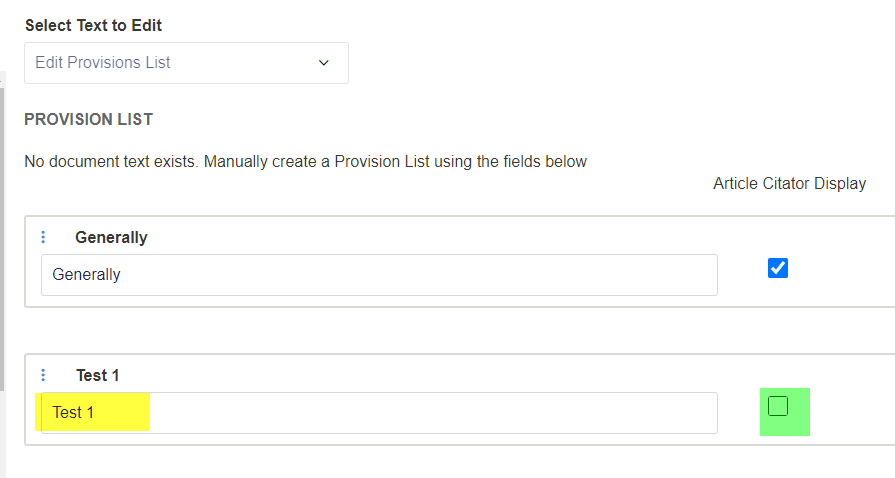
***
Using Treaty BIT/1600 as an example. See app.islg, Master Lists, Treaties.
This was migrated. It is not a placeholder. I am able to create a draft on app.islg, and I am able to make changes to provision descriptions, and to save changes. However, just like my example of BIT/1100 above, if I delete a provision description, I am not able to save that change.
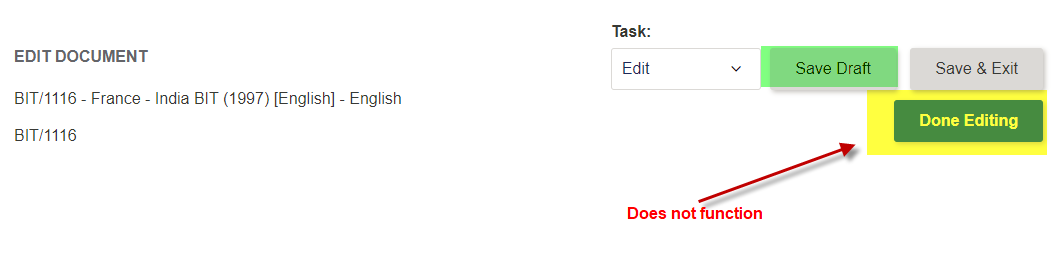
For example, I am able to add "Test 1" and select the Article Citator Display checkbox. I am able to save both by clicking "Save Draft". (However, clicking "Done editing" does not do anything. Meaning, the button does not function at all).
I can unselect the Article Citator Display checkbox and delete "Test 1".
Again, clicking "Done editing" does not do anything. Meaning, the button does not function at all.
Clicking "Save Draft" saves the unselected Article Citator Display checkbox. However "Test 1" still appears.
Can you confirm whether you can edit and save now or not?
Thanks,
Paul
I will make sure to test this tomorrow and report back.
Irit
This issue has been resolved on app.islg. I am marking this as complete.
Thanks,
Irit