












✔ No links to master list entries within ISLG Report
Completed by Morgan M.
- Assigned to
-
 Harsh P.
 Melissa C.
 Naomi J.
- Notes
-
Further to the video below, reports generated through ISLG Reports do not contained links to applicable entries in the master lists. Please modify all reports so that any value listed in a report that is associated with a master list entry is linked to relevant page for the entry. The link should open in a new browser tab and bring the user to the following pages:
- Dispute: Dispute View (example: https://app.investorstatelawguide.com/DisputeDocuments/DisputeAllDetails?dis=cvCFaa91l3k%3D)
- Dispute Documents: Document View (example: https://app.investorstatelawguide.com/DocumentView?rt=Wk21nmb-fNY%3D&docid=B21Z88J4vRA%3D)
- Treaties: Document View (example: https://app.investorstatelawguide.com/DocumentView/TreatyRule?trid=C416u3APRCU=
- Arbitration Rules: Document View (example: https://app.investorstatelawguide.com/DocumentView?rt=Wk21nmb-fNY%3D&docid=B21Z88J4vRA%3D)
- People: Individual Reports page (example: https://app.investorstatelawguide.com/LegalAnalytics/ViewIndividualReports?mid=A8xoUq8Z0MM=&cmid=c%20ddpVXnRb8=&cat=FquW9SVOOfw=&rptype=5HDJ0zYs1oU=)
- Organizations: Individual Reports page (example: https://app.investorstatelawguide.com/LegalAnalytics/ViewIndividualReports?mid=mScOmwarSG4=&cmid=HmECNB0d1Bc=&cat=FOt2LfngpQk=&rptype=5HDJ0zYs1oU=
- Countries: Individual Reports page (example: https://app.investorstatelawguide.com/LegalAnalytics/ViewIndividualReports?mid=B5DG-lx3Ao8=&cmid=O-q2dQhQHt0=&cat=iqWQSglV1Qo=&rptype=5HDJ0zYs1oU=)
In addition, if there are multiple values within the same cell of the report, each value should have separate links.
For example, if the user selected "2" under Counsel (Respondent) in the Penny Brown row, it would connect the user to a report showing the two cases where both "Penny Brown" and "Leslie Law" were both listed as Counsel (Respondent) within the Dispute form.
Thanks,
Morgan
In response to the video, your expectation is correct. As discussed in this thread: Re: Problems with links within Dispute and Dispute Document details - TOLOGIX - ISLG App Rebuild we were lacking more explicit criteria on the subscriber side to ensure consistent behaviour for countries, organizations, disputes and people when displayed and clicked on. So the question in the video should be addressed by the card linked in that thread.
In response to your question above, because "numbers of values" are not fields in master lists we wouldn't be able to link these to a report. The report linking feature is intended to link values that are displayed throughout the application (for example when viewing dispute details) to a report. In this case, the mockup is not quite accurate, in the sense that the people's names would be the clickable values, but the numbers would not be.
I hope that helps to clarify the report linking a bit further.
Thanks,
Naomi
Thanks,
Morgan
Could you please specify more clarity that what is your expectation to clickable in Report and this link where we need to redirect ?
Sure, I'll provide more detail today, but essentially, we want any master list entry (dispute, dispute document, treaty, arbitration rule, person, organization, country, etc.) listed as a value in any of the reports to be linked so that if the user selects the link in the report it will open a new browser tab and take the user to the relevant dispute/document view or individual report page.
Thanks,
Morgan
I've updated the requirements above with more details.
Thanks,
Morgan
In this task Could you please provide details that which Metafield is clickable and which are not ? how we will identify ?
This links shouldn't be meta field specific, they should be dependent on the value type. If the meta field is displaying a value from any of the master lists above, the applicable link should be available. Make sense?
Thanks,
Morgan
These fields should link to the master list record:
"Case Name" – links to dispute all details page
"Full Citation" & "Short Title" – Link to dispute documents doc view
"Treaty Title" – Links to treaty doc view
"Arbitration rule name" – Links to rule doc view
"Person name" – Links to person record landing page
"Organization name" – Links to org record landing page
"Country name" – Links to country record landing page
Thanks,
Naomi
I think we should expand the list above to the following
Thanks,
Morgan
This task is done on staging.islg. Please check and confirm.
https://dev.azure.com/tologix/ISLGRebuild/_workitems/edit/239
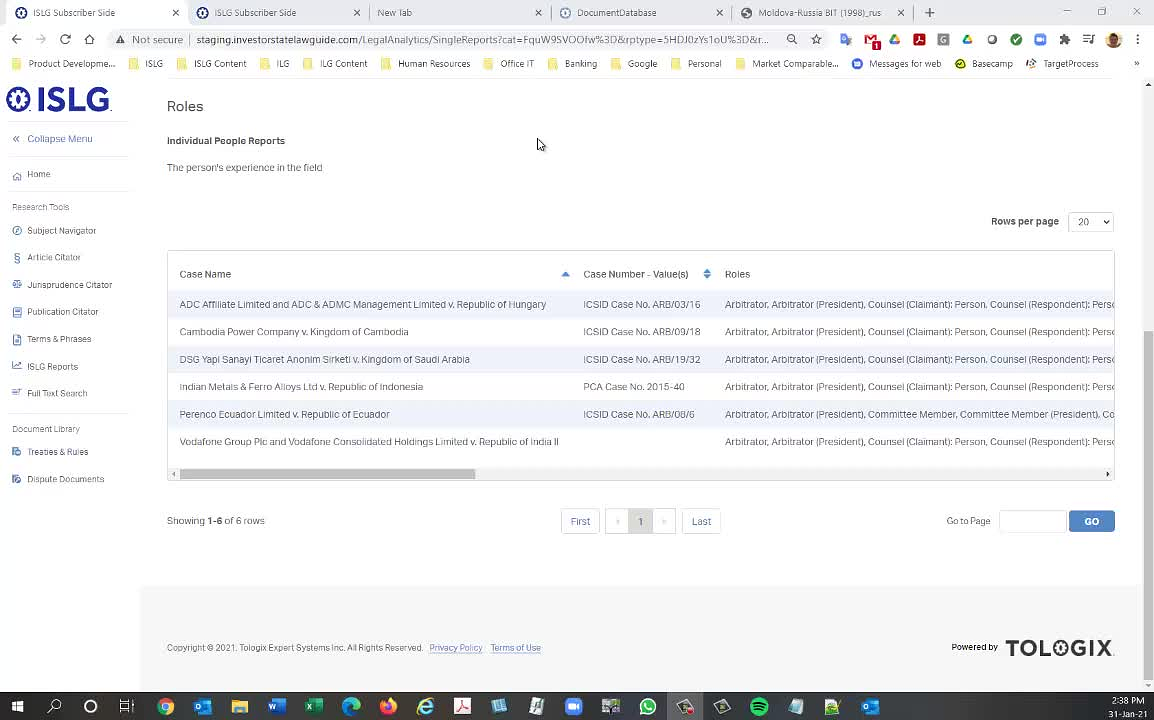
The changes look great. However, further to the video below, there appears to be a regression issue where the master list row values are not able to sort alphabetically.
Thanks,
Morgan
This issue is resolved on staging.islg. Please check and confirm.
Attached is video with another issue with sorting columns in ISLG reports on staging.islg:
Thanks,
Morgan
This issue is resolved on staging.islg. Please check and confirm.
The sorting function is working now; however, as described in the video below, the performance on staging.islg is very slow. It takes up to 45 seconds to load the following report: https://staging.investorstatelawguide.com/LegalAnalytics/SingleReports?cat=FquW9SVOOfw%3D&rptype=BT35dTu48nk%3D&rp=FOt2LfngpQk%3D&mid=A8xoUq8Z0MM%3D, which takes less than 10 seconds on app.islg. Also, selecting the columns to sort the results is not very responsive (takes up to 5 seconds for the columns to sort).
Thanks,
Morgan
The sorting issue is resolved on staging.islg. Please check and confirm.
We will let you know tommorrow after discussion with martin.
I just tried the same report on Staging this morning, and my load time was 11 seconds, and sort clicks were instant.
--Martin
Could you run a comparison between app.islg and staging.islg? My concern is that we may have compromised performance of ISLG Reports with these changes.
Morgan
The same report on app.islg took 9 seconds, so between 1 and 2 seconds faster.
I believe this page loads all 7500 rows in memory. If it's the case, I think around 10 seconds load and render time is acceptable, though not optimal.
Is there a way to enable async? This might help with performance.
--Martin
We checked and that is not issue. Actually, We need to make link for report column so we need to modified some logic in query and due to these dynamic reports building query it is taking 1 or 2 second more compare to app.islg.
Hope this is fine.
Thanks for the details. I did test against staging.islg 1 hour ago and it took 11 seconds to load for me, and the sorts were instant.
I wonder if the additional 20 seconds difference you experienced is related to network lag. Or perhaps it's a combination of network lag and performance limitations on our SQL or IIS server when there's more traffic.
The video capture of my staging.islg test can be found a few posts above.
Thanks,
--Martin
once we upgrade or seprate the database server then this issue will be resolved.
Marking the to-do complete.
Thanks,
Morgan