














✔ Problem with loading time for producing auto-suggest results
Completed by Paul M.
- Assigned to
-
 Martin L.
- Notes
-
Further to the video below, which provides an example of the slow speed the new application generates auto-suggest results (particularly when compared to the legacy application), the speed of generating these results needs to increase so that results are generated before the person has completed typing the keyword at a reasonable speed (i.e., so the auto-suggest can be used to complete the keyword they want to search). Otherwise, the auto-suggest looses its practical use.
Note that this should apply across all the search in all the tools that employ auto-suggest:- Subject Navigator
- Article Citator
- Jurisprudence Citator
- Publication Citator
- ISLG Reports
- Treaties & Rules
- Dispute Documents
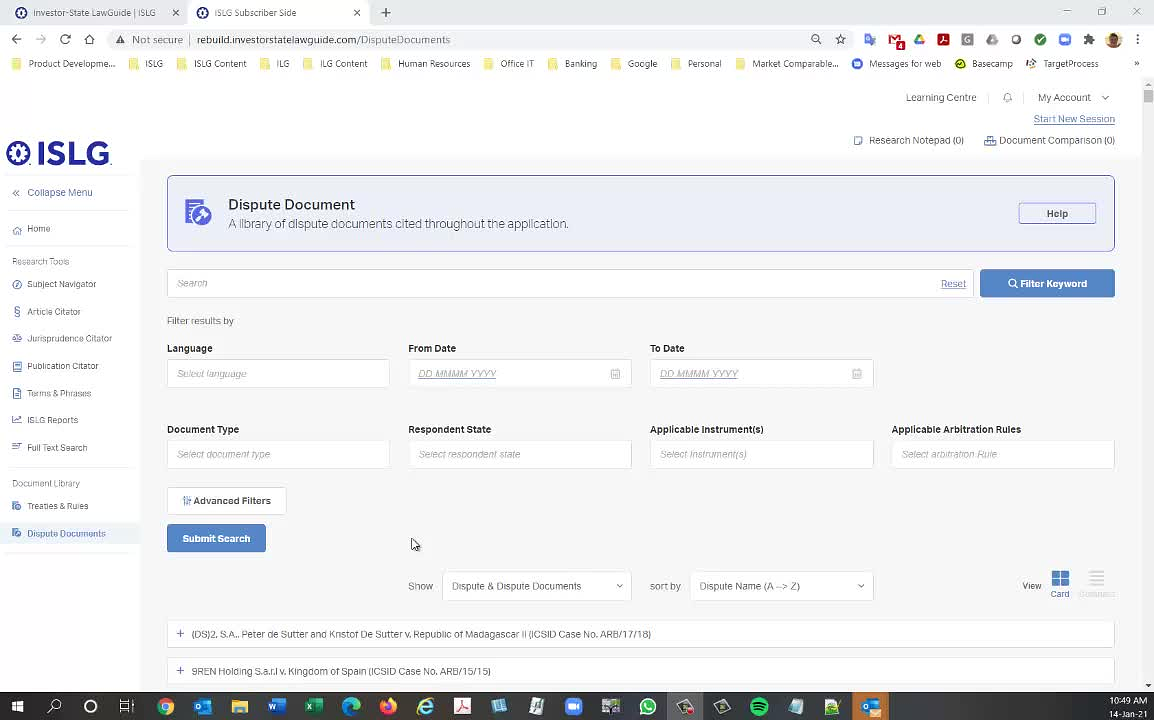
The criteria is different in new application there are so may fields we need to take care for auto-suggest search.
For example In Jurisprudence There are 6 to 7 Fields are going match the result.
But, In legacy app we are searching only on Dispute Document Full Citation.
For All the modules the search fields are more than the legacy app hence. It will take time.
Please suggest the Meta Field you need for each tool on auto-suggest so we can get speed.
Now, you can check on Treaty & Rule module on rebuild.islg. Now currently we are taking only 2 Fields for auto-suggest so speed is improved.
1) Title
2) Full Citation
Please check and confirm.
Note, however, that these changes would only apply to the auto-suggest search and shouldn't affect the fields that are searched when the user performs a full search by selecting "Find". We still need the search across all the fields specified in the user stories.
I'm tagging
Thanks,
Morgan
Here are the fields to be used for the auto-suggest search across each tool on the Subscriber side of ISLG:
Also, similar to the legacy app, when a user selects an item in the auto-suggest search results, the search should automatically run (without selecting "Find" or "Enter" on their keyboard) and take the user to the entry that matches that particular field.
Thanks,
Morgan
We are going to change the auto-suggest search as per above requirement for auto-suggest search for all above modules.
Thanks,
Morgan
We have reviewed and the above looks good, I don't believe you've missed anything.
Thanks,
Naomi
Thanks,
Morgan
The above things are already implemented on staging.islg & rebuild.islg.
Only For JC, We are fetching only Dispute Document Full Citation. As, We are not displaying Dispute Full Citation so it is not possible to auto suggest Dispute Full Citation.
Are you sure this is fully implemented, because I just checked ISLG Reports, and there's no auto-suggest enabled when the user performs a search from full list?
Also, for JC auto-suggest, this is different from the legacy application auto-suggest. In the legacy app, auto-suggest produces results for the Dispute title and the Dispute Document title. Is there a reason we set it up differently in the new application?
Thanks,
Morgan
As per requirement in ISLG Report, These feature is not auto -suggest. User should write the name and click on search icon to populate the result.
For JC, PC and AC, The search is work differently. When user search the Dispute Document Full Citation then will come up with matching result and when user click on the data will redirect to particular place.
I'm not sure what the requirements said, but it doesn't make sense auto-suggest enabled on the previous screen and then not available on the next screen. Please make the change so the search is consist across the tool.
I'm still not following regarding the JC search. My understanding of that the search is pulling data from multiple fields across the Dispute and Dispute Document forms: https://industrialagency.tpondemand.com/entity/16513:
Thanks,
Morgan
We are not binding Dispute Citation in JC tool. so if we are retrieve Dispute Citation and user click on search then it is not possible to match because we are not displaying Dispute Citation.
We are displaying Dispute Case Name. Can we consider Dispute Case name for auto-suggest ?
Ok. I see the problem. Sure, let's use the Dispute Case Name for now.
Thanks,
Morgan
We have added Dispute Case name in Jurisprudence Auto-suggest on both rebuild.islg and staging.islg.
Looks good in JC auto-suggest. However, could you confirm whether the other items above are fully implemented as well, including the auto-suggest searches within ISLG Reports for Disputes, Organizations, People and Countries:
Thanks,
Morgan
Noting that the searchable suggested dropdown has been implemented on staging within the subscriber site and marketing site for ISLG report list pages
I've gone through and tested the all the auto-suggest searches across the different tools reported above and found the results below. Could you please address each issue as applicable. However, further to the video below, as a general requirement across all the auto-suggest searches, please ensure that all these searches take the user directly to the entry within the tool when the result selected from the auto-suggest result list corresponds to specific entry within the tool. As described in the following video and matching the behaviour in the legacy application, it is tedious and redundant to present the user with a result list and forcing them to make a selection when they have already made that selection to go to that specific entry when they selected it from the auto-suggest results:
Morgan