













✔ Problem with presentation of number for Number and Currency fields on Subscriber side
Completed by Morgan M.
- Assigned to
-
 Harsh P.
- Notes
-
Further to the video below, all Number and Currency fields should be presenting numbers with commas between thousands (e.g., 1,000,000,000.00) when the data is presented to user on the Subscriber side of the application. Please ensure this change is applied across the application (i.e., proceeding details and within reports generated by ISLG Reports).
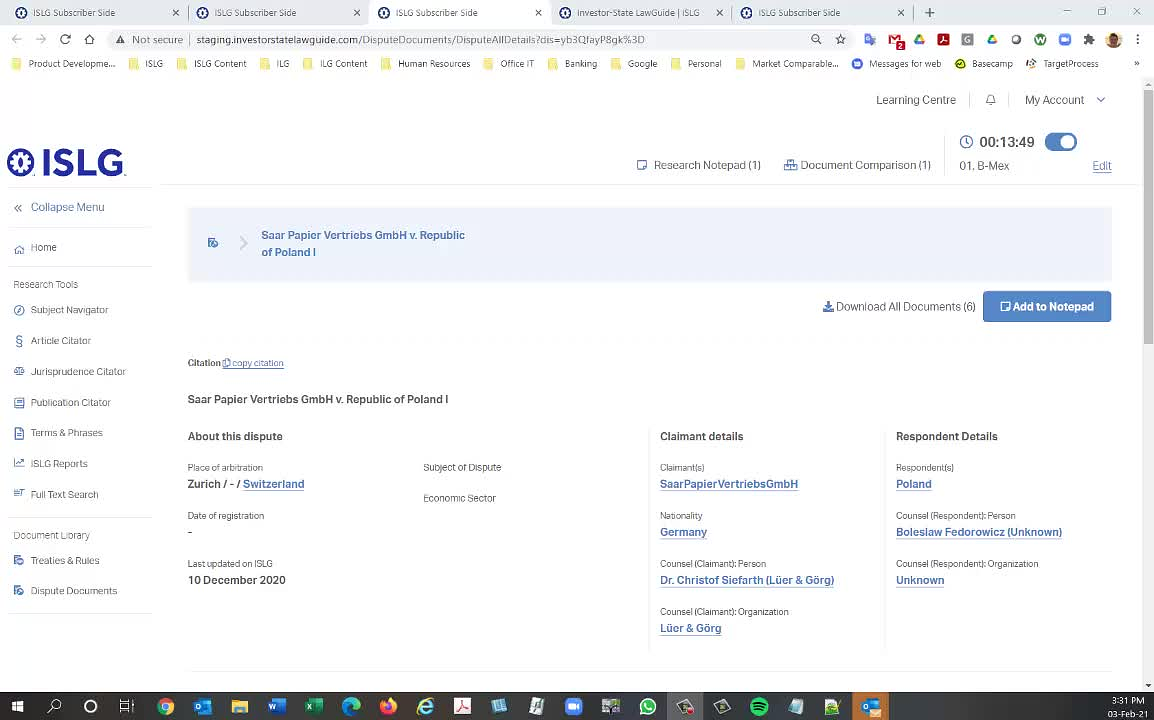
This issue is already resolved. We checked and found that those Legal analytics entries you made before this change. Hence, Data were not added as comma separator in database.
Please open those entries and just again update those percentage and currency entries.
It's very difficult for us to go in and manually resave all disputes that have data saved in the old format. There are currently 1282 disputes with such data entered. Isn't there a way for you to automatically convert the data into the format required?
Thanks,
Morgan
While you address this issue, could you also resolve the issue that I am having on the admin site as shown in the video? When I try to copy and paste numbers in currency field under legal analytics, the last two digits get removed immediately, and I cannot simply type them back in without upsetting the whole number.
Thanks,
Paul
Do you mind creating the issue above a separate to-do? It seems like a separate issue, and I might assign it a different level of priority from the original issue.
Thanks,
Morgan
I created a separate to-do here: Number pasting error - TOLOGIX - ISLG App Rebuild.
Thanks,
Paul
We have updated number and currency data with comma separator (,) on staging.islg.
Please check and confirm. If all ok then will update same on app.islg.
I confirm commas are appearing properly under currency data on staging.islg.
Thanks,
Paul
Morgan
We have updated number and currency data with comma in app.islg.
Please check and confirm.
Commas appear correctly for currency data on app.islg, thanks.
Paul