












✔ Problem with Subject Navigator search field, live site
Completed by Morgan M.
- Assigned to
-
 Harsh P.
 Ketan S.
 Morgan M.
- Notes
-
Problem with Rebuild Live Site, Subject Navigator search field.
Entered the following into the search field:
Lao Holdings
Cargill
If I enter a Subject Navigator short title in the search field, I receive the following error message: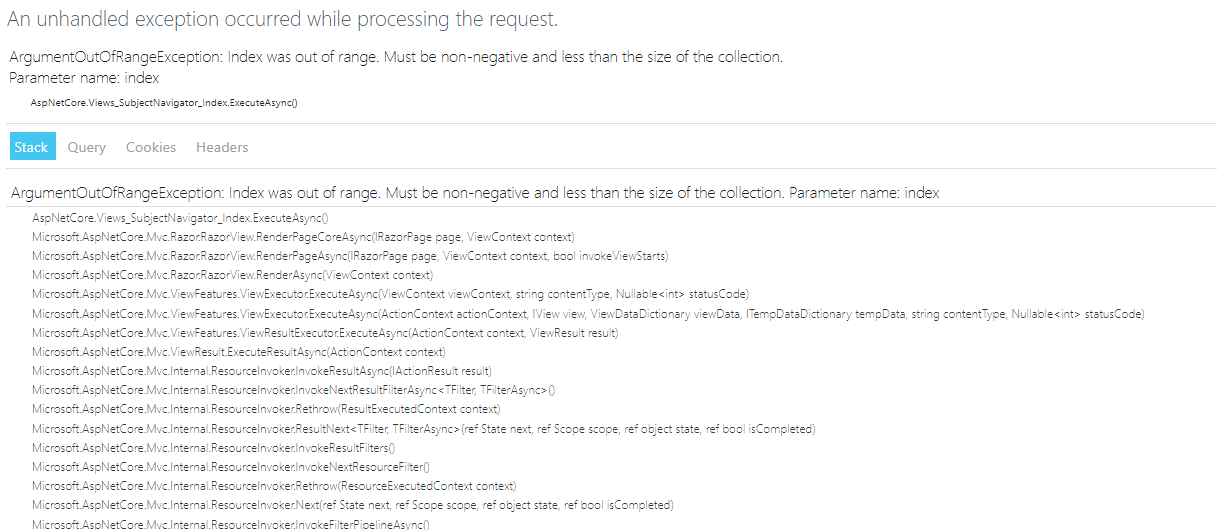
When I enter the same search words in the legacy live site, there are no issues.
Screen capture of legacy live site, Subject Navigator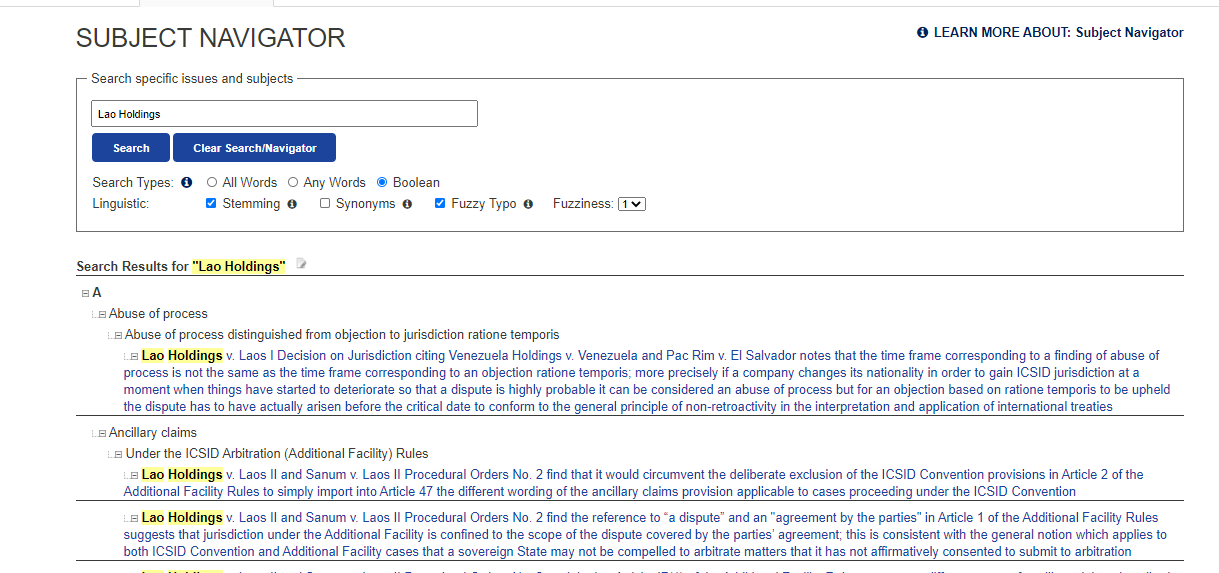
Link to rebuild live site, SN:
http://rebuild.investorstatelawguide.com/SubjectNavigator/Index
Link to legacy live site, SN:
https://www.investorstatelawguide.com/ResearchTools/SubjectNavigator?toc=content&id=50&tab=r&search=Lao+Holdings&searchType=boolean&stem=1&thes=&ftypo=1&fuzziness=1
Video: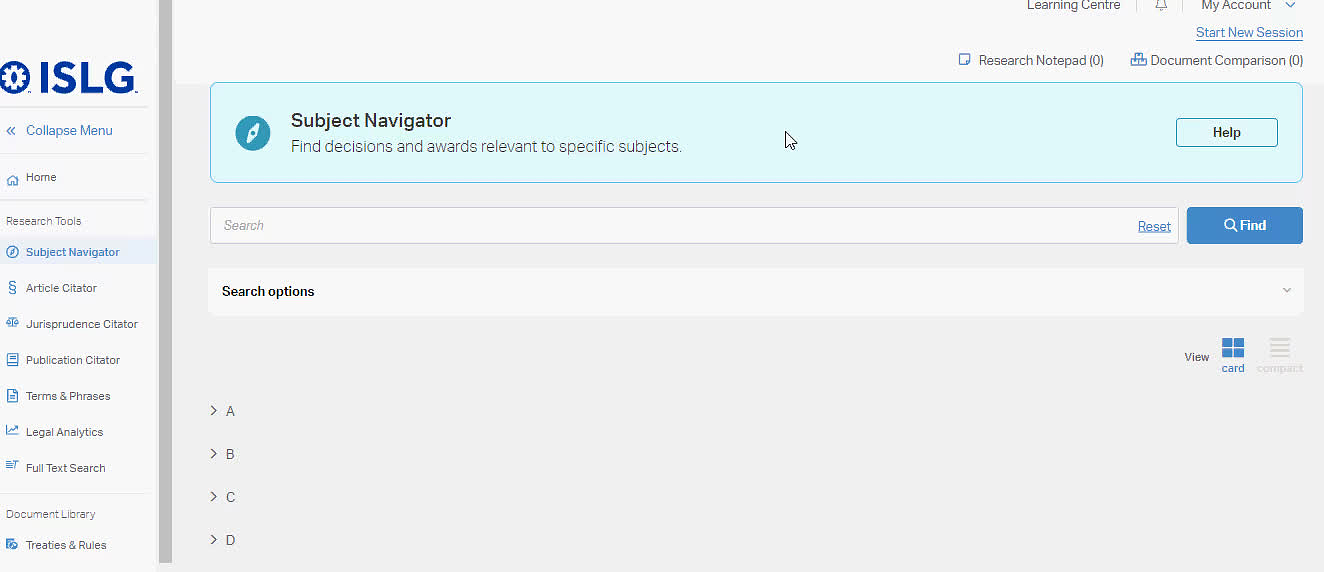
Thank you,
Irit
The search is the Subject Navigator is currently being worked on by the development team.
However,
Shouldn't this be working?
Morgan
This issue is resolved on staging.islg. Please check and confirm.
Further to the video below, could you confirm whether this is final UI for the Subject Navigator search? Currently, the initial page of results skips the step of providing users with contextual results where only the relevant branch and its parent branches are displayed in the results, and then the user is taken to the full branch when they select the branch.
Thanks,
Morgan
Yes this is the Final UI of SN Search.
As we decided in Thursday meeting at the time of discussion of SN Search, We decided to render all Parent and Child branches with matching result. so user wants to navigate with other branches after search so they can.
Morgan
It seems the design of the SN search has changed a couple of times since the original wireframes due to various conversations along the way. Going back to the original proposal this seems like that approach would meet all of the requirements outlined in the video as well as would be consistent with the UI for search in other research tool modules:
The proposal here would be to display matching search results within a modal (similar to how it works in the Article Citator). Users would have the context of the letter, oldest parent branch and direct parent branch for each matching result and could select their desired result to be anchored to that location in the SN tree where all branches would be available for further context. Likely we could maintain the current functionality as well (upon search matching branches are expanded with keyword matches highlighted) so that if users preferred they could close the modal and navigate through the search results from the tree to immediately see all branches surrounding the keyword matches.
The other benefit to the modal approach is that the modal can be closed and re-opened without the user needing to re-perform their search, so they can navigate between the two ways of browsing search results easily. Additionally as mentioned above, this would keep a more consistent search experience across research tools.
Would this solution work for the problems addressed above?
Following up on above, I'm going to add this item to the agenda for Thursday's team meeting. However, could you please you all spend some time internally discussing solutions to the problem according to the following:
Morgan
I am concerned that displaying the tree structure for search result branches within the modal will be difficult to browse and may negatively impact performance. The thinking is that the user would select a search result to view the full context.
Do you think including the full path rather than a truncated version above the search result is adequate?
Mel
Can we have a quick call. Connect here: https://us02web.zoom.us/j/6046323469
Morgan
The modal doesn't provide the context required, particularly when you have multiple results within the same subject. Further to the screenshot from the legacy app: https://www.investorstatelawguide.com/ResearchTools/SubjectNavigator?toc=content&id=50&tab=r&search=enron&searchType=boolean&stem=1&thes=&ftypo=1&fuzziness=1
displaying the results within the tree gives the user context on how many results are located within a particular subject or sub-branch. Separating the results into individual listing within the modal strips away that context.
Also, why would this compromise performance? It works quite well within the legacy app.
Thanks,
Morgan
As discussed in last week call, We render only matching keyword branches and set View Context link beside branch name which will open in new tab with all data.
We have deployed on staging.islg.
Thanks,
Morgan
Further to the video below, the search results are still taking a very long time to load, which is preventing the user from selecting links on the page. Why is this still a problems after removing the highlights?
Morgan
If you find with abuse of process word then it is finding in less number of branches and Dispute Document card so it will render within 3 second.
Morgan
Can we remove the Dispute Document Card which is rendering with search. We can display only Parent and Child branches without Dispute Document Card.
If we go with this approach then "Good Faith" word will give result within 7 to 8 Second and abuse of process will give result within 2 second.
If user wants to see dispute document card then they can click on view context link which will open in new tab.
Please confirm.
Regarding the updated view I have moved that card to done. There are still outstanding issues related to the search functionality, but that is being tracked between bugs and the "Search Implementation" on basecamp.
Thanks,
Morgan
As per my above comment, We have removed that Dispute Document Cards in Search result. Only matching keyword Parent and child branches are rendering.
now good faith search result is populated within 5 to 7 Second now we can't optimize further as it is depending on result. The abuse of process result populated in 1 second.
Hope this is fine.
We'll work with this for now. One more issue, I've noticed that the link for node above the document cards still appear active even though selecting them has no effect, because we have suppressed the document card. Is it possible to suppress these links when viewing the results in this view? Then it will be clearer that they need to select the "View in Context" link.
Thanks,
Morgan
Hope this if fine.
Morgan
We have removed the link and display as label in search result view on staging.islg.
Morgan