












✔ Problem with tracking session duration for auto-IP access
Completed by Morgan M.
- Assigned to
-
 Harsh P.
 Ketan S.
- Notes
-
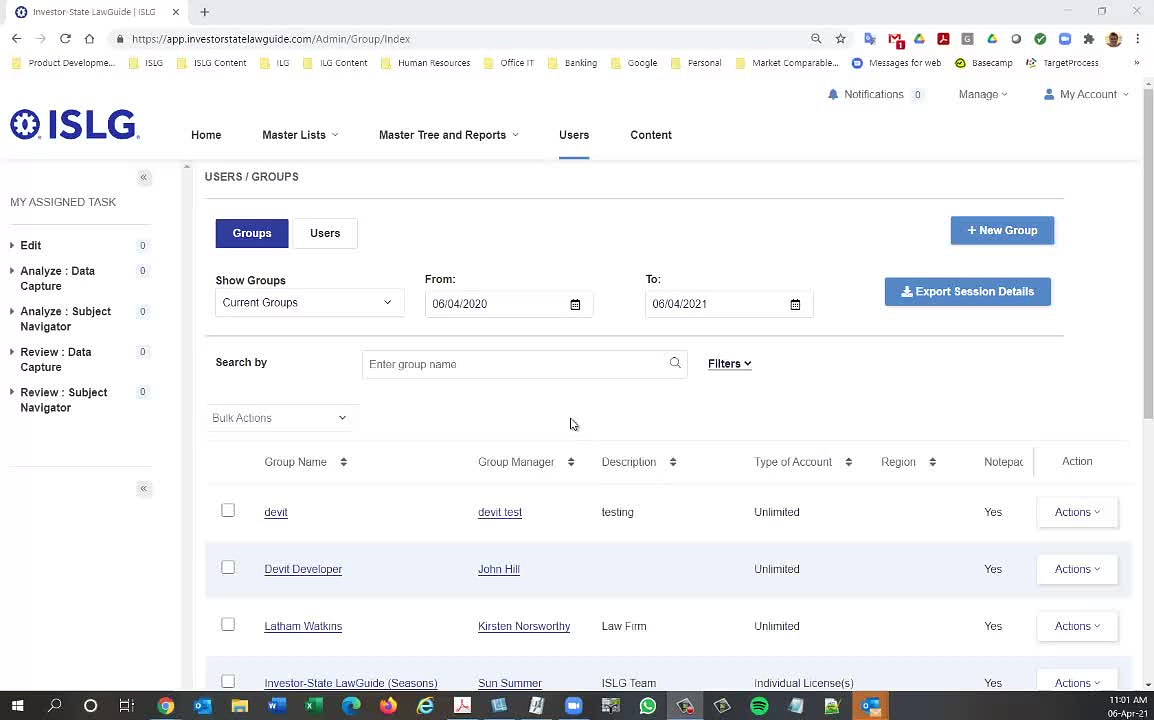
Further to the video below, there is a problem with session tracking concerning users accessing the new application via auto-IP access. Session data is not generating any duration data when the user accesses the application via auto-IP access. It appears this problem started occurring on April 2nd.
Hi
Further to the video below, I ran some further test on app.islg, and there does not appear appear to be a problem with the way the system works with respect to the status of groups and the status of individual user account. So no changes will be necessary here.
However, with respect the the Expiry Dates for individual user accounts, after discussions with
Morgan
Could you please provide target process card for modified the requirements for Expiry date which Morgan mentioned above comment so will discuss this thing on our Monday status call and then will start work on it.
We checked following point on app.islg database and we found only one subscriber who become Non-Active after user/group migration performed and I believe this is test account.
Group Name : Investor-State LawGuide (Seasons)
Email : mmaguire@tologix.com
Surname : test2
Given Name : test1
Please ignore above comment. that was my mistake.. I will provide you list.
Here, I have attached spread sheet which contains subscribers who become Non-Active after performed the Migration. Please take note that there is no such field creation date in old legacy app.
Let's get this done ASAP.
Thanks,
Morgan
Following up on
There are some other problems created by the new pagination system in user management and the way the tables load after editing a record, but we'll deal with those in the weeks ahead after we deal with these immediate problems.
Thanks,
Morgan
Please review the following cards: https://industrialagency.tpondemand.com/entity/23284-islg-team-feedback-updates-to-group and https://industrialagency.tpondemand.com/entity/23288-islg-team-feedback-searching-fields-in
Morgan
My apologies for creating confusion on this to-do, please focus on the originally posted issue, which is to resolve the issue with the auto-IP access and ensure that sessions end when the user closes their browser tab/window, so that we can record the duration of such sessions.
Thanks,
Morgan
Could you please test the auto-login session tracking on staging.islg. Currently after Ideal time (30 minute) the new session will be automictically start.
Also, if you close the browser window or tab then session time is stopped same as user/pass credentials.
Please check and let us know your feedback in this thread.
Please don't test it as our QC have found one or 2 bug on staging.islg. so we will check by tomorrow and will update you once it will be done.
Could you provide an update on when this is getting deployed? I'm concerned that gaps in our session tracking data are starting to get larger, given that we're currently missing any duration data for auto-IP sessions since April 2nd.
Thanks,
Morgan
I apologies to update you. Actually, My one of team member's son is hospitalized and he is on leave.
Currently we are middle of this task and we will try to complete this task by early of next week.
The Development of this task is completed and our QC is doing testing on this task. once he confirms then tomorrow will deploy this task on staging.islg so
This task deployed on staging.islg. Also, We have checked 30 minutes ideal time popup and it is working fine.
For Fast testing purpose, We have currently set 15 minute ideal time on staging.islg.
Please clear your cache, refresh the page properly and check again. The ideal time popup will be open after 15 minutes.
Please note that don't move mouse or press any key.
I've cleared my cache however the timeout message is still not showing for me after 15 minutes of inactivity on staging.
The session time is getting tracked properly on the admin side, however, I'm not seeing the inactivity prompt, or the session being stopped after 15 minutes on the admin side.
Steps to test:
1. open staging.islg in an incognito window and auto-login
2. minimize window and set timer for 15 minutes
3. check window after 15 minutes for prompt
Please let me know how I should proceed here.
Thanks,
Naomi
The 30 minutes timeout has been intentionally omitted from the admin site, because we found that this interfered with analysis work (I believe this is set for 2 hours). The timeout should only be applied to the Subscriber site. Hopefully that clarifies your comment above.
Thanks,
Morgan
Sorry, maybe my message was confusing. I am referring to the subscriber side timeout that
Hopefully that is clearer!
Naomi
Also, at first glance, staging.islg is running very slowly in comparison to app.islg.
Morgan
I ran a test on Edge and Firefox on the above, and after 15 minutes, I was presented with the following pop-up:
and then after 5 more minutes, it logged me out and directed be back to the login page.
I performed a similar test by closing all the browser tabs, but left one open to an a third party site. After 15 minutes, I went back into the Subscriber side of the application directly (without logging into via the login page). My expectation was that by closing the browser tabs and leaving it for 15 minutes, the previous session would have timed-out and new sessions would have started. However, rather than start a new session, it continued the previous session and added the session time between when I closed the browser tabs and re-entered the Subscriber side. This indicates that the session is not timing out when you close the browser tabs. We need to fix this so that the session times-out. Otherwise, we may have sessions that go on indefinitely when the user closes the ISLG browser tabs, but leaves one tab open to a third-party site.
Thanks,
Morgan
Following-up on above, I ran a second test concerning the issue with closing ISLG browser tabs, but leaving the one tab open in a third party site. This time is successfully started a new session when I waited 30 minutes before re-entering the site. Is this because the session timeout is still set to 30 minutes for this type of timeout?
If that's the case, assuming we confirm timing of the timeouts, this appears to be working according to requirements.
Morgan
Due to avoid confusion of 15 and 30 minutes. We have set 30 minutes time for all scenarios on staging.islg.
1) If you close the browser tab and come again before 30 minutes then existing session is continued (no new session started.)
2) if you close the browser tab and come again after 30 minutes then automatically new session will be started.
3) if you become ideal within application on subscriber side for 30 minutes
(it means do not touch mouse or keyboard within application) then after 30 minutes the ideal session popup will be open and ask you to sign out or Start new session. IF you don't choose any action for 5 minutes then it will be automatically logout.
I run another rounds of testing today, and everything appears to be working as expected. Unless,
Thanks,
Morgan
So I tested this on Firefox and everything seems to be working as expected. However on Chrome the 30 minute popup is not appearing, nor is the timer being stopped after 30 minutes when looking at the session from the admin side.
Thanks,
Naomi
I was only able to perform my tests in Edge and Firefox.
Thanks,
Morgan
We have resolved 30 min popup issue for chrome on staging.islg. Please check again and confirm.
Please take note that don't move mouse or press any key.
I've tested this and it seems to be working on my end.
Thanks,
Naomi
Marking the to-do complete.
Thanks,
Morgan