












✔ Published Documents Issues - "Documents Details" & "Document Text" not available for some published Documents/"Save & Exit" and "Done Review" should not appear for Published documents
Completed by Nafiseh A.
- Assigned to
-
 Harsh P.
- Notes
-
Hi Morgan,
I noticed that under SC/0015/98 and IC/0281/26 that have been put through analysis and been published, there are no "Documents Details" & "Document Text", and instead "Review Document Text" is available through which you can see the HTML:
Normally, for the published document, "Documents Details" & "Document Text"
are available when you open a dispute document.
Also, for the published documents, there are no "Save & Exit" and "Done Review" buttons to select. You should select "Create Draft" to make any changes and go from there as you see in the example below that is normally the case: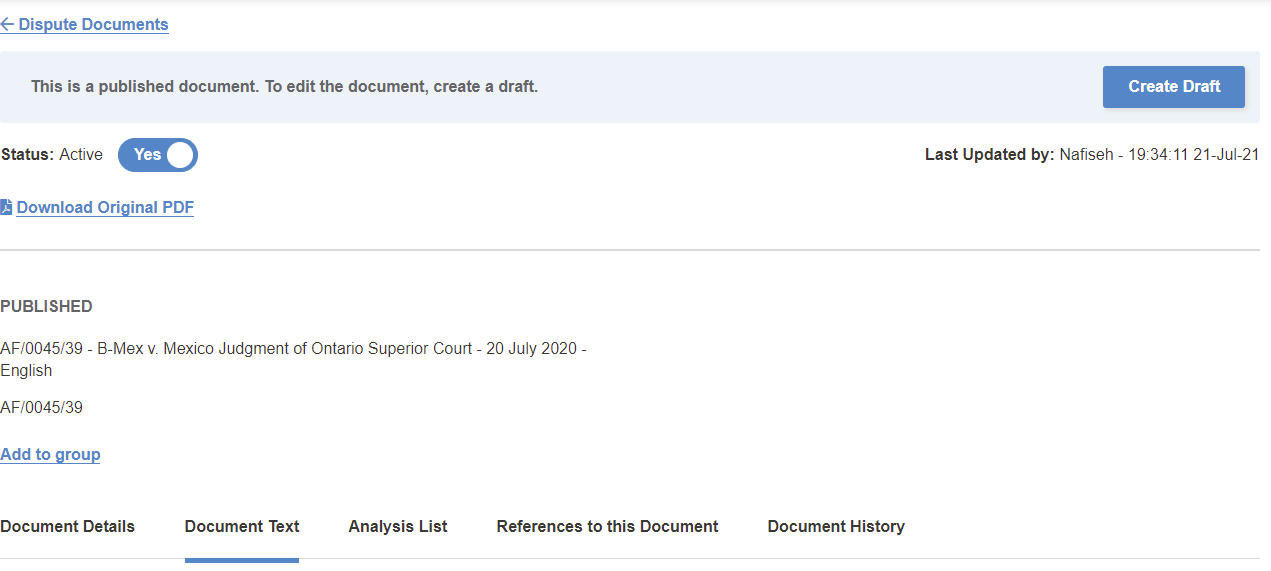
However, in SC/0015/98 and IC/0281/26, I see these two buttons which should not be there.
SC/0015/98: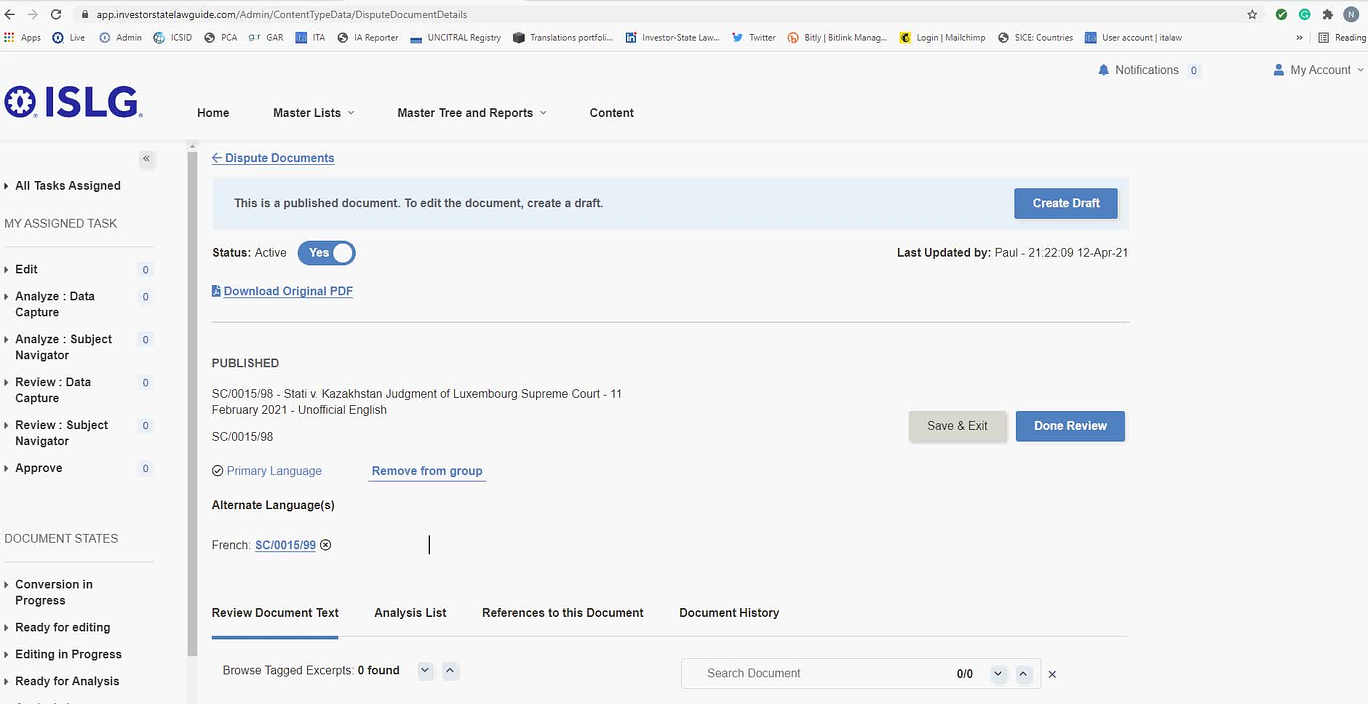
IC/0281/26: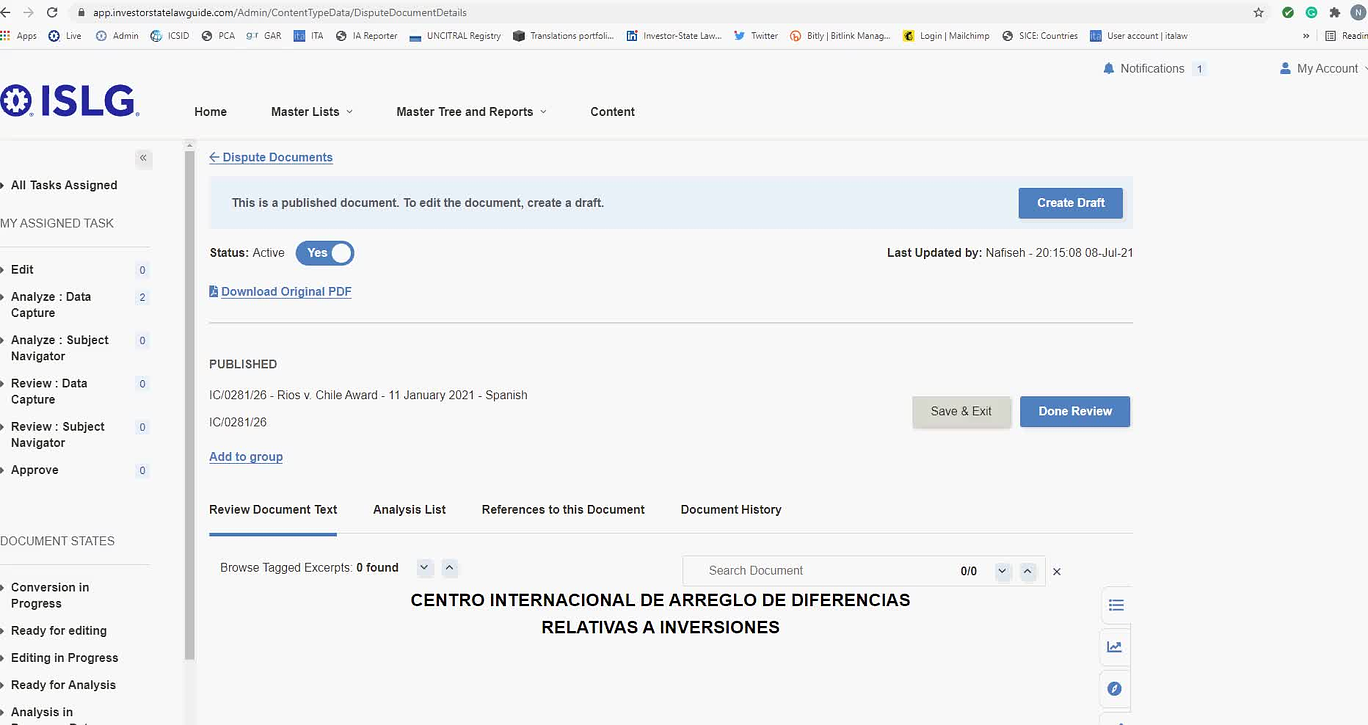
Also, as you'll see in the video below, when I get into these documents, the "Done Review" option appears as "Save & Exit" for a second before it is changed to "Done Review".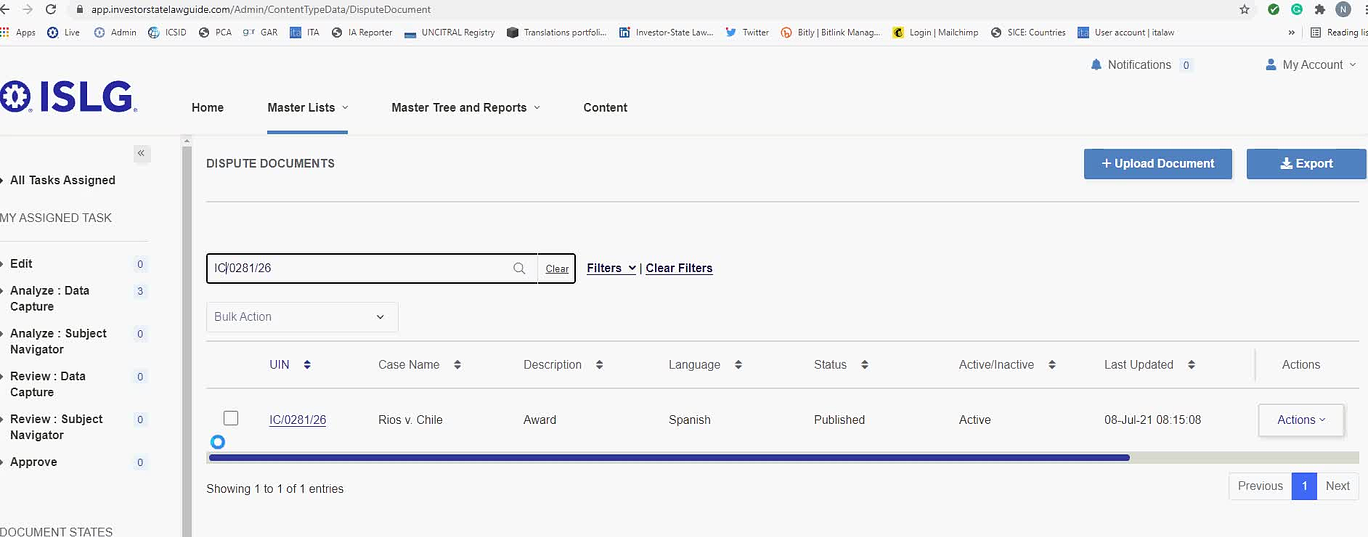
Could we look into the issues?
Thanks,
Nafiseh
CC Paul
Paul
Please address this as an Unplanned/Critical task.
Thanks,
Morgan
This issue is resolved on both staging.islg and app.islg. Please check and confirm.
I checked both staging.islg and app.islg. The issue is resolved. I'll mark this to-do as complete.
Thanks,
Nafiseh