













TOLOGIX - ISLG App Rebuild

Resolve issues with automatic password expiry field

Assigned to
Harsh Parikh, Tech Lead at DevIT Harsh P.
Notes
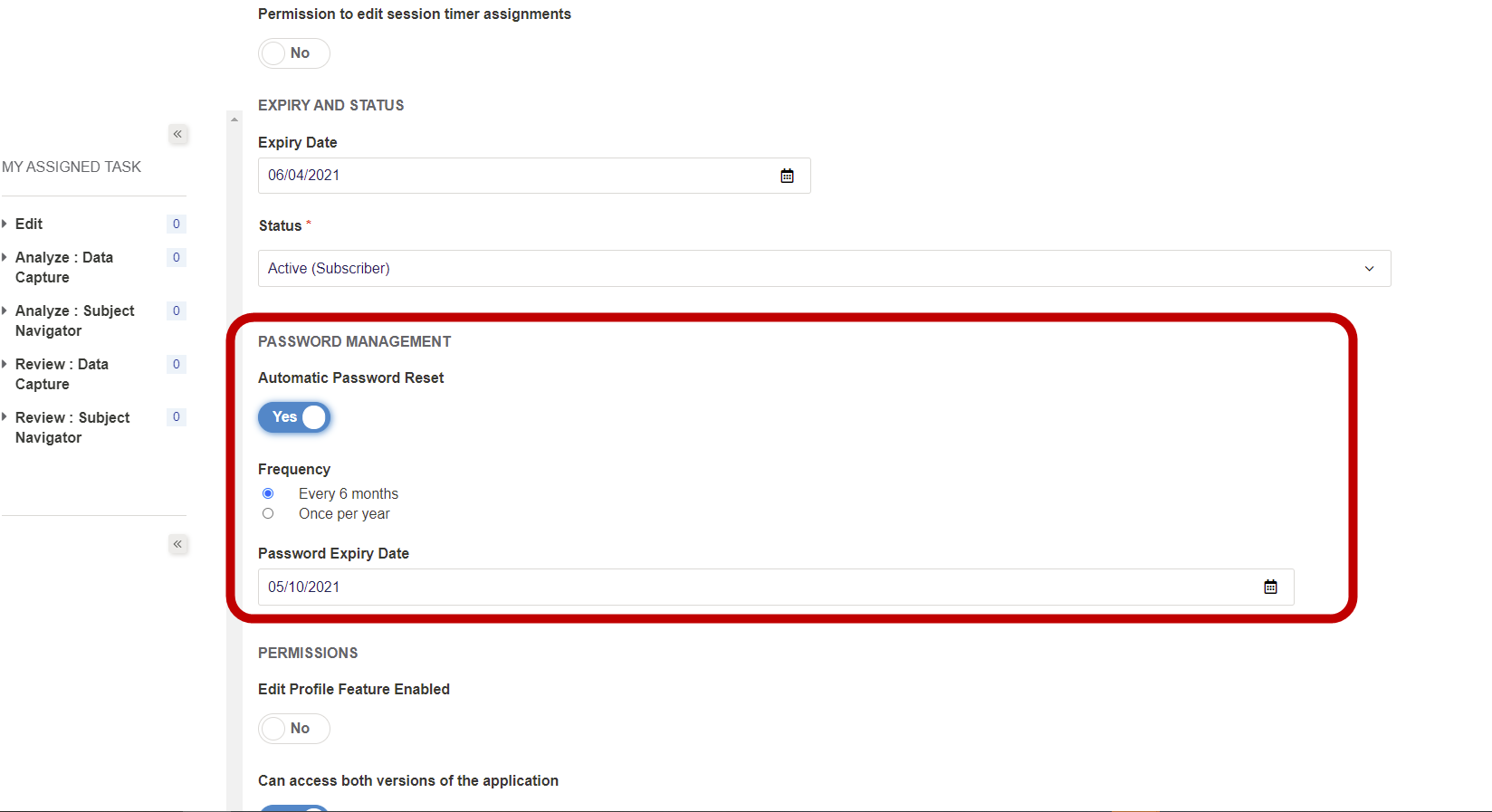
Automatic Password Reset: similar to the legacy application, when the automatic password reset options are enabled on a user account: the user will receive an email 7 days before the expiration date that their password needs to be reset. When the expiration date is reached, however, rather than change the account to "Expired" status, the account will be changed to "Non Active" status. Also, resetting the password after the expiration date will no longer reactivate the account, and the admin user will need to manually reactive the account by changing the status from "Non Active" to "Active (Subscriber)". However, because this restores the existing credentials without updating the password, the admin user will need to manually update the Password Expiry Date to a week later so that the user will receive the email to update their password. We need to change the requirements so that the user will be able to reactivate the account by updating the password, and there should be an ability for the admin user to manually resend the user the password reset notification email.
Hi Harsh Parikh, Tech Lead at DevIT Harsh ,

Further to the issue concerning the automatic password reset function described above in item#3. Would it be possible for you to export a list of user within app.islg that includes data on whether the automatic password reset function is enabled on the account and the data on when the password reset is set to expire?
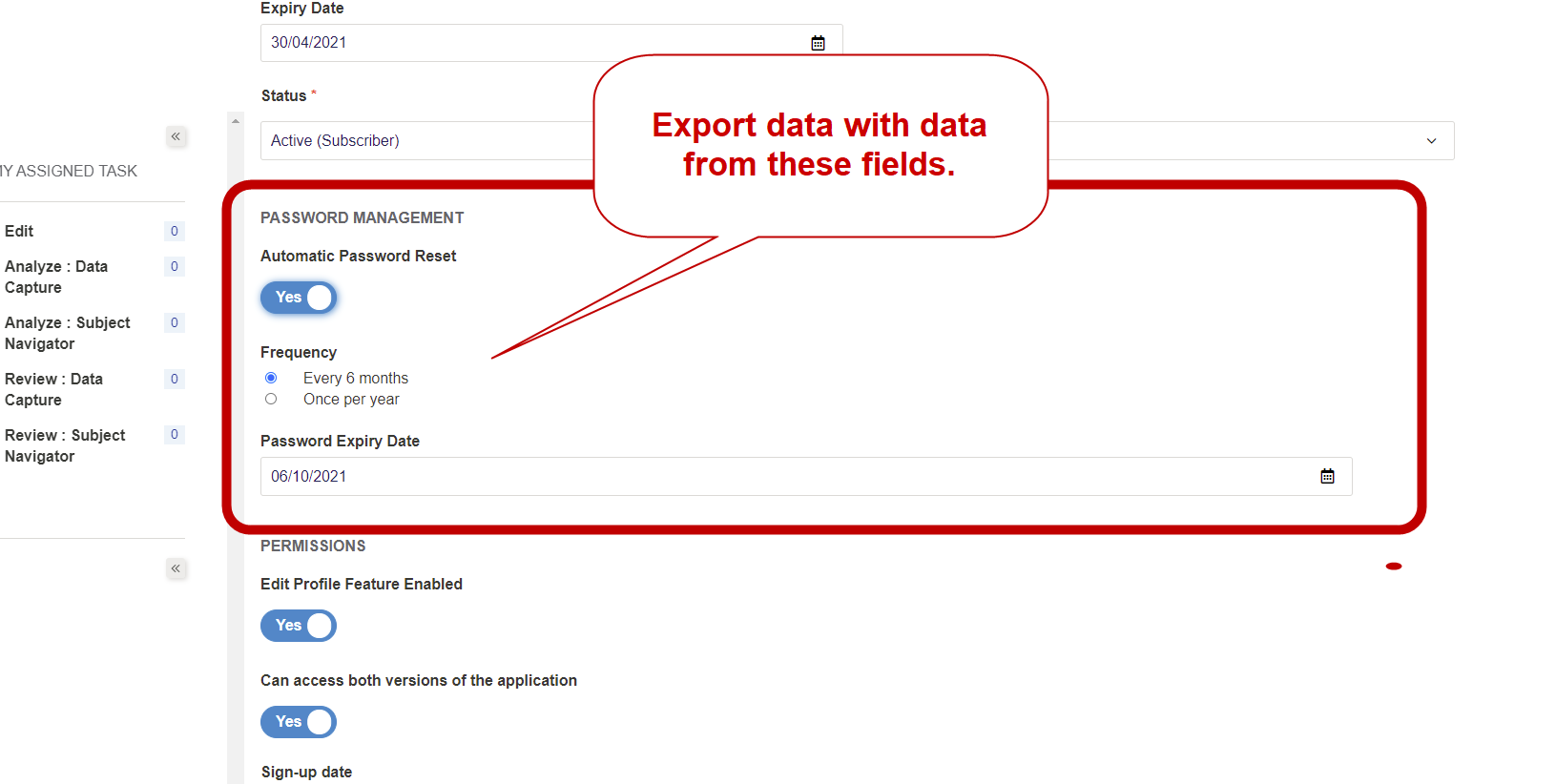
I've tried getting this data through the export use list function: https://app.investorstatelawguide.com/Admin/Subscriber/Index but this didn't include data related to the automatic password reset fields:
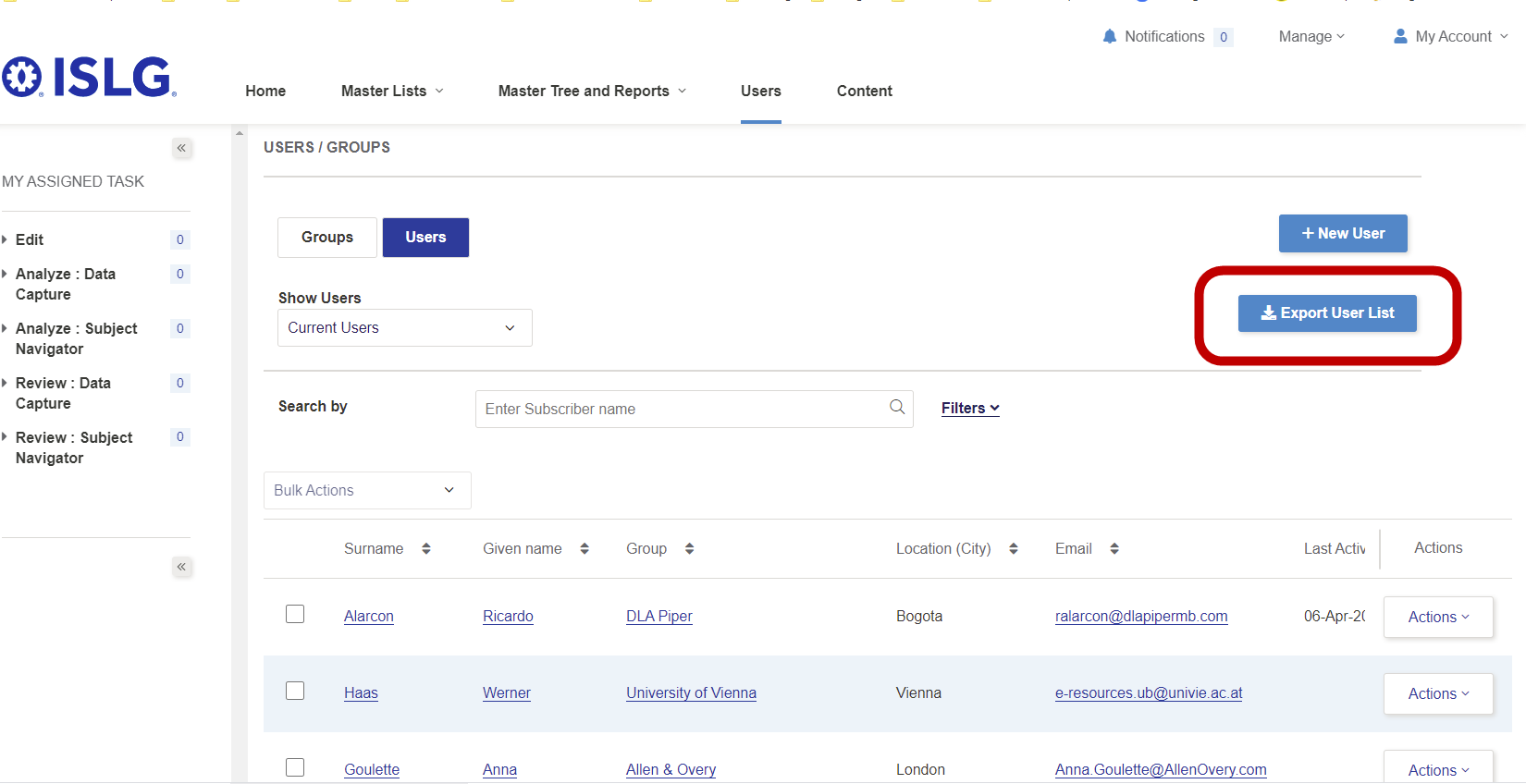


Ideally this list would include three more columns for the following:
  1. Automatic Password Reset: Yes/No
  2. Frequency: Every 6 months/Once per year
  3. Password Expiry Date: Date
We are going to use this to audit these users and update the account to ensure they do not expire until we make changes to the requirements for the automatic password features in the weeks ahead.

Thanks,

Morgan

Comments & Events

Harsh Parikh, Tech Lead at DevIT
Hi Morgan Maguire, CEO Morgan ,

We are working on to include following 3 fields in excel and PDF report for User data.

  1. Automatic Password Reset: Yes/No
  2. Frequency: Every 6 months/Once per year
  3. Password Expiry Date: Date
We will release this change in next build on app.islg.
Morgan Maguire, CEO
Note that I've modified the to-do above to focus on the issues concerning automated password resets, and have create new to-do's for the other issues.
Morgan Maguire, CEO
Hi Harsh Parikh, Tech Lead at DevIT Harsh ,

Following-up on above, could you please provide us with the report requested so that we can audit and ensure more accounts are not disrupted by the problems with the automatic password reset functions.

Please send this as soon as possible. Note all we need is a list of all the accounts on the system that have the automatic password reset function enabled (along with the frequency and expiry date) and then we can make the appropriate edits to the accounts that are going to have their passwords expire over the next 4 weeks.

This is just a stop-gap measure to prevent further passwords from expiring until we figure out a solution to how the password reset function operates (more below).

Thanks,

Morgan
Morgan Maguire, CEO
Hi Harsh Parikh, Tech Lead at DevIT Harsh ,

Aside from the requested report above, we need to come up with a solution to this current automatic password reset function. Ideally, I would like to integrate the same system we have in the legacy app, but here is modified solution to resolve the problem for our current purposes:
  1. The automatic password reset function is enabled and a date is entered into the Password Expiry Date field:
  2. 7 days prior to the date entered into the Password Expiry Date field, an automated email is sent to the user indicating that their account is going to expire in 7 days and will become inaccessible if their password is not updated (currently in requirements).
  3. Assuming the user does not reset their password, when the date entered into the Password Expiry Date field is reached, the user account status changes to Non Active and the user is sent another automated email indicating that their password has expired, and that they will need to reset their password to regain access (currently in requirements).
  4. PROBLEM: When the user selects the Reset my password link after the accounts has changed to Non Active status and updates the password, the password successfully resets, but the user account status does not change back to Active (Subscriber) status. 
  5. SOLUTION: Assuming the password has expired and the user account is Non Active, if the user selects the Reset my password link in the email and successfully resets their password, this should also automatically change the status of the user account to Subscriber (Active).
Thanks,

Morgan
Morgan Maguire, CEO
Hi Harsh Parikh, Tech Lead at DevIT Harsh ,

Following-up again on above, can you please provide us with the report requested above as soon as possible? We had another issue with an account this morning, where the password expired, the user attempted to reset the password and their access is blocked because the account did no reactivate. We need the report so that we can identify which which accounts have passwords that have expired or are going to expire so that we can adjust their accounts until we implement the other requirements in this to-do.

Thanks,

Morgan
Harsh Parikh, Tech Lead at DevIT
Hi Morgan Maguire, CEO Morgan ,

You can able to see following 3 columns on app.islg when you will download User data from User Tab.


  1. Automatic Password Reset: Yes/No
  2. Frequency: Every 6 months/Once per year
  3. Password Expiry Date: Date
Morgan Maguire, CEO
Great. Thanks Harsh Parikh, Tech Lead at DevIT Harsh .

Marysia Raptis Marysia , attached is user list filtered by the accounts that have accounts that have the automatic password field enabled and the password has either expired or is going to expire over the next month. Could you please audit these accounts so that we can avoid continued problems with this issue until Harsh Parikh, Tech Lead at DevIT Harsh implements the changes requested above.


Thanks,

Morgan
Harsh Parikh, Tech Lead at DevIT
Hi Morgan Maguire, CEO Morgan ,

This change has done on tsgaing.islg. Please check and confirm.
Morgan Maguire, CEO
Great. Thanks Harsh Parikh, Tech Lead at DevIT Harsh . I've setup a test on staging.islg, and I'll report back on the results in the days ahead.

Morgan
Morgan Maguire, CEO
Hi Harsh Parikh, Tech Lead at DevIT Harsh ,

Further to the video below, so far I have found two issues with this to-do:
  1. 7 days prior to the expiry date for the password reset, I did not receive an automated email indicating that I needed to reset my password.
  2. When the expiry date was reached, the account did not change to non-active state and I did not receive an automated email indicating that my password expired and that I would need to reset the password to reactive the account.
Harsh Parikh, Tech Lead at DevIT
Hi Morgan Maguire, CEO Morgan ,

Above both issues are resolved on staging.islg. Please check and confirm.
Morgan Maguire, CEO
Ok. I'll setup some more tests, but I probably won't get results back until tomorrow evening, because I can select today's date as the expiry date.

Morgan
Morgan Maguire, CEO
Hi Harsh Parikh, Tech Lead at DevIT Harsh ,

Further to the video below, I'm still experience the following problems:
  1. Testing account: morganmaguire@gmail.com: when password expiry date is reached, the account is not changing to non-active status and the user is not receiving the automated emails indicating that their account has been deactivated and that they will need to reset their password to reactivate the account
  2. Testing account: mmaguire@tologix.com: when the password expiry date is within 7 days of expiring, the user is not receiving an automated email indicating that their password will expiry in 7 days and that they need to reset the password on the account.
Harsh Parikh, Tech Lead at DevIT
Hi Morgan Maguire, CEO Morgan ,

The issue is resolved. you can get Password Expiry mail at 11:40 PM and Password reminder notification at 11:30 PM Server time.

Please check and confirm.
Morgan Maguire, CEO
Ok. Thanks Harsh Parikh, Tech Lead at DevIT Harsh . I've setup tests and let you know the results tomorrow.

Morgan
Morgan Maguire, CEO
Hi Harsh Parikh, Tech Lead at DevIT Harsh ,

Everything worked well on this test. To-do complete. Please deploy to production during the next deployment window.

Thanks,

Morgan
Harsh Parikh, Tech Lead at DevIT
Hi Morgan Maguire, CEO Morgan ,

This task is already deployed on app.islg.
Morgan Maguire, CEO
Morgan Maguire completed this to-do.
